
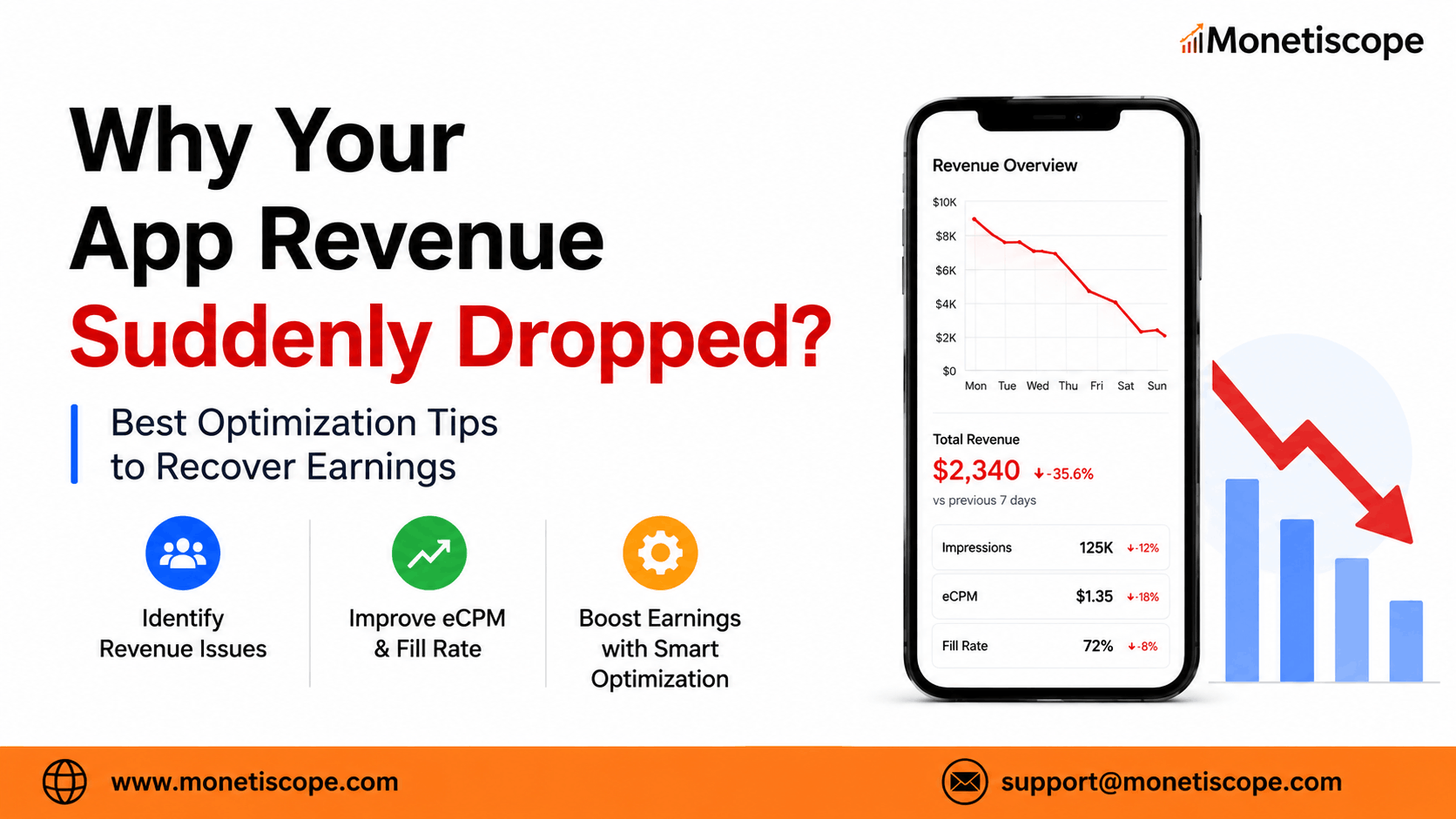
You opened your monetization dashboard and saw a big red number.
Revenue is down.
Your downloads look normal.
Users are still opening the app.
Yet somehow, your earnings have taken a serious hit.
Honestly, that moment can feel pretty stressful.
You start wondering whether your ad account has an issue.
Maybe advertisers have stopped spending on your app.
Or perhaps your latest update quietly broke something.
But let’s be real.
App revenue rarely drops without leaving clues behind.
The problem usually comes from traffic, eCPM, fill rate, ad placements, policy issues, or technical changes.
Sometimes, it’s simply seasonal.
Other times, one small app update breaks the entire monetization setup.
So, before making random changes, you need to understand what actually went wrong.
This guide explains why your app revenue suddenly dropped and how you can recover it.
No vague advice.
Just practical checks and optimization tips that app publishers can actually use.
First, Understand How App Revenue Works
Before fixing anything, understand the basic revenue formula:
Revenue = Impressions × eCPM ÷ 1,000
That means your revenue can fall when:
- Your app generates fewer impressions.
- Advertisers pay a lower eCPM.
- Your ad fill rate declines.
- Users spend less time inside the app.
- Certain ad placements stop working.
You shouldn’t only look at total revenue.
That number tells you something went wrong.
However, it doesn’t tell you what caused the problem.
You need to break your performance into smaller metrics.
Start checking:
- Daily active users
- Sessions per user
- Ad requests
- Matched requests
- Impressions
- Match rate
- Show rate
- eCPM
- Revenue by country
- Revenue by ad format
- Revenue by app version
This breakdown will help you find the real issue much faster.
1. Your User Traffic Has Declined
The simplest reason often gets ignored.
Your app may have fewer active users than before.
Even a small decline in daily active users can reduce impressions.
Fewer impressions usually mean less revenue.
Compare your current traffic with:
- Yesterday
- The previous seven days
- The previous month
- The same weekday last month
- The same period last year
Don’t compare Sunday traffic with Monday traffic.
User behaviour changes across weekdays and weekends.
You should also check traffic by country.
Your total user count may look stable.
However, high-value users may have declined.
For example, losing users from the United States can affect revenue badly.
New users from lower-eCPM countries may not replace that value.
What You Should Do
Check your user acquisition campaigns, store rankings, retention, and uninstall rates.
Compare organic and paid installs separately.
Sometimes, a paused advertising campaign causes the entire revenue decline.
2. Your eCPM Has Dropped
eCPM shows how much advertisers pay for every thousand impressions.
Your traffic may remain stable while your eCPM falls.
This creates a confusing situation.
You see the same users and impressions, but revenue still goes down.
Advertiser demand changes regularly.
Brands may reduce their budgets during certain weeks.
Some industries spend more around festivals, sales events, product launches, and quarter endings.
After these periods, eCPM can fall quickly.
Yikes, but it happens.
What You Should Do
Check eCPM by:
- Country
- Ad unit
- Ad format
- Operating system
- Mediation partner
- App version
Avoid looking only at your average eCPM.
One high-traffic country may be dragging the entire average down.
You should also compare rewarded, interstitial, banner, native, and app-open ads separately.
3. Your Fill Rate Has Declined
Fill rate shows how many ad requests received an available advertisement.
Suppose your app sends 100 ad requests.
If advertisers fill only 70 requests, your fill rate becomes 70%.
The remaining 30 requests generate nothing.
A fill-rate decline may happen because:
- Advertiser demand is low.
- Your floor prices are too high.
- Certain countries have limited demand.
- A mediation partner stopped responding.
- Your app has integration problems.
- Your account received a serving restriction.
What You Should Do
Check match rate and show rate separately.
A low match rate means the platform couldn’t find enough advertisements.
A low show rate means matched advertisements didn’t appear to users.
That difference matters.
It tells you whether the problem comes from advertiser demand or app implementation.
4. Your Latest App Update Broke Something
App updates can silently damage monetization.
Maybe an ad unit stopped loading.
Perhaps a developer changed an ad placement.
Or the consent flow started blocking requests.
This issue often appears after:
- SDK updates
- Mediation changes
- Layout changes
- Privacy updates
- New app versions
- Changes in user flow
Everything may look fine during basic testing.
However, real users may experience loading failures.
What You Should Do
Compare revenue and impressions by app version.
If the decline started after a release, inspect that version immediately.
Test every ad format across multiple devices.
Also test different internet speeds, operating system versions, and screen sizes.
Review your crash logs and ad-loading errors.
One implementation mistake can cost a surprising amount of money.
5. Your Ad Placement Strategy Is Weak
Adding more ads doesn’t always increase revenue.
Sometimes, it does the opposite.
Too many ads can frustrate users.
They may close the app, leave negative reviews, or uninstall it.
Then retention drops.
Long-term revenue follows.
On the other hand, showing too few ads also limits earnings.
You need a reasonable balance.
Better Placement Ideas
Show interstitial ads during natural breaks.
Good opportunities may include:
- After completing a level
- Before starting a new round
- After saving a completed task
- Between content sections
- After a successful action
Avoid interrupting users during important actions.
Unexpected ads create a terrible experience.
Honestly, nobody enjoys tapping a button and suddenly seeing a full-screen advertisement.
6. Your High-Value Users Have Disappeared
Not every user generates the same revenue.
A user from one country may generate several times more revenue than another.
The difference comes from advertiser demand, competition, and purchasing power.
Therefore, your total traffic can stay stable while revenue falls.
For example, your app may lose users from:
- United States
- United Kingdom
- Canada
- Australia
- Germany
- Japan
Meanwhile, traffic may increase in lower-eCPM regions.
Your analytics dashboard will show stable traffic.
However, your monetization dashboard will show weaker revenue.
What You Should Do
Analyse revenue per user by country.
Then review where your new users come from.
Don’t chase downloads only.
Focus on users who stay longer and generate meaningful revenue.
7. Your Mediation Setup Isn’t Working Properly
Mediation allows multiple ad networks to compete for your inventory.
More competition can improve fill rate and eCPM.
However, a poorly managed mediation setup may create the opposite result.
Common mediation problems include:
- Wrong ad unit mapping
- Outdated SDK adapters
- Missing credentials
- Incorrect bidding configurations
- Excessively high waterfall floors
- Disabled demand partners
- Slow network response
- Reporting differences
One broken partner may not look serious.
However, that partner might have generated your strongest demand in certain countries.
Adding more networks also doesn’t automatically mean more revenue.
Too many poorly optimized SDKs can increase app size, create adapter conflicts, slow loading, and hurt retention.
Before adding another network, read our detailed guide on why free monetization SDKs may be secretly destroying your app revenue.
It explains why publishers should evaluate SDK quality, performance impact, privacy requirements, and actual revenue contribution before integrating another demand source.
What You Should Do
Check every demand partner individually.
Review:
- Ad requests
- Impressions
- eCPM
- Fill rate
- Errors
- Response time
- Revenue contribution
Remove weak partners only after analysing enough data.
A bad day doesn’t always mean a bad network.
However, an SDK that adds technical weight without meaningful revenue may not deserve space inside your app.
8. Your Floor Prices Are Too Aggressive
Floor prices set the minimum acceptable price for your ad inventory.
Higher floors sound attractive.
You’re basically asking advertisers to pay more.
But there’s a catch.
When the floor becomes too high, fewer advertisers will bid.
Your eCPM may increase while your fill rate collapses.
That can reduce total revenue.
Pretty ironic, right?
What You Should Do
Test floor prices gradually.
Don’t increase them across every country at once.
Start with high-demand markets and strong ad units.
Compare total revenue, not only eCPM.
A high eCPM with very few impressions isn’t always a win.
9. Privacy and Consent Changes Are Blocking Ads
Privacy regulations have changed how apps collect and use personal data.
Consent can affect personalized advertising in many regions.
If your consent flow fails, advertisers may receive limited information.
That can lower demand and eCPM.
This issue may appear after changing your consent management platform.
It may also happen after an SDK or app update.
What You Should Do
Test your consent message carefully.
Make sure users can:
- Understand the message
- Accept or manage their choices
- Access privacy options later
- Continue using the app properly
Also check whether consent signals reach your monetization platforms correctly.
Don’t treat privacy setup like a one-time task.
Review it after every major SDK or app update.
10. Your App Has Policy or Invalid Traffic Issues
Ad platforms monitor apps for suspicious traffic and policy violations.
Problems may include:
- Accidental clicks
- Ads placed near navigation buttons
- Misleading ad layouts
- Automated traffic
- Incentivized clicks
- Invalid impressions
- Restricted content
- Excessive ad frequency
Sometimes, the platform limits ad serving without fully suspending your account.
That restriction can cause a sudden revenue decline.
What You Should Do
Check your policy centre and account notifications.
Review recent traffic sources.
Pause suspicious campaigns immediately.
Inspect placements that may encourage accidental clicks.
Don’t try to hide or manipulate invalid traffic.
That move can create a much bigger problem.
11. Seasonal Demand Has Changed
App revenue doesn’t remain equal throughout the year.
Advertisers spend heavily during certain periods.
These periods may include:
- Major shopping festivals
- Holiday seasons
- Product launches
- Financial quarter endings
- Gaming events
- Travel seasons
After these periods, advertising demand may slow down.
January often looks weaker than December for many publishers.
However, seasonality differs by category and country.
A travel app and a gaming app won’t follow the same cycle.
What You Should Do
Compare your current results with the same period last year.
Don’t compare a normal month with a peak advertising month.
That comparison creates unnecessary panic.
To be fair, sometimes nothing is technically broken.
The advertising market has simply cooled down.
Smart Optimization Tips to Recover App Revenue
Finding the problem is only half the job.
Now, let’s discuss changes that can improve your revenue.
Segment Your Monetization Data
Never manage app revenue using one average number.
Break your reports into smaller segments.
Analyse revenue by:
- Country
- Platform
- App version
- Ad format
- Ad unit
- User type
- Traffic source
- Demand partner
This approach helps you identify exactly where the decline started.
Improve User Retention First
A retained user can generate revenue across many sessions.
A new user may leave within minutes.
Therefore, retention often matters more than raw installs.
Improve:
- App loading speed
- Onboarding
- Navigation
- Content quality
- Game difficulty
- Notifications
- Reward systems
- Crash rate
Better retention increases sessions.
More sessions create additional ad opportunities.
Use Rewarded Ads Carefully
Rewarded ads can deliver strong engagement and higher eCPMs.
Users choose to watch them in exchange for something valuable.
Examples include:
- Extra lives
- Bonus coins
- Premium features
- Additional hints
- Faster progress
- Temporary access
However, the reward must feel useful.
A weak reward won’t attract users.
An overly generous reward may damage your in-app purchase strategy.
Test Different Ad Formats
Don’t depend on one format.
Each ad format performs differently.
Banner ads provide regular visibility.
Interstitial ads can generate stronger revenue during natural breaks.
Rewarded ads work well when users receive real value.
Native ads may blend more naturally with app content.
Test different combinations instead of guessing.
Run Controlled Experiments
Change one major factor at a time.
Otherwise, you won’t know which change affected revenue.
Test things like:
- Ad frequency
- Placement timing
- Floor prices
- Ad formats
- Reward value
- Refresh intervals
Run each test for enough time.
One day of data rarely tells the full story.
Add More Quality Demand Sources
Depending on one network creates unnecessary risk.
If that network’s demand declines, your revenue falls immediately.
A managed mediation setup can bring multiple demand partners together.
More quality competition may improve fill rate and pricing.
However, adding random networks isn’t enough.
Every additional network should justify its technical and operational cost.
You still need proper configuration, monitoring, and optimization.
Check Your App-Ads.txt File
An incorrect or missing app-ads.txt file can affect authorized inventory selling.
Make sure the file:
- Opens publicly
- Contains the correct seller details
- Matches your developer website
- Includes active demand partners
- Has no formatting mistakes
Review it whenever you add or remove monetization partners.
Monitor Revenue Per Active User
Total revenue doesn’t show the complete picture.
Track revenue per daily active user.
This metric helps separate traffic problems from monetization problems.
When users decline but revenue per user remains stable, traffic caused the issue.
When users remain stable but revenue per user falls, monetization needs attention.
Create Automatic Revenue Alerts
You shouldn’t discover a revenue decline several days later.
Set alerts for major changes in:
- Revenue
- eCPM
- Fill rate
- Impressions
- Ad requests
- Active users
- Crash rate
Fast alerts allow faster action.
And yes, that can prevent a lot of lost revenue.
A Simple 48-Hour Revenue Recovery Plan
When revenue drops, avoid making ten changes together.
Use this process instead.
During the First Two Hours
Check whether the monetization platform has a reporting delay.
Then compare:
- Revenue
- Impressions
- eCPM
- Fill rate
- Active users
Find the exact date and approximate hour when the decline started.
During the First Day
Segment your data by:
- Country
- App version
- Ad unit
- Ad format
- Demand partner
Review policy notifications and serving restrictions.
Test all major ad placements on real devices.
Check whether the problem started after a release, SDK update, or mediation change.
During the Second Day
Fix technical errors first.
Then adjust weak placements or mediation settings.
Avoid aggressive floor changes without proper testing.
Monitor the results for at least several days.
Don’t expect every metric to recover immediately.
Final Thoughts
Seeing your app revenue suddenly dropped can feel alarming.
However, random changes often make the situation worse.
Start with the revenue formula.
Identify whether traffic, impressions, fill rate, or eCPM caused the decline.
After that, inspect app versions, ad placements, mediation, consent, and policy health.
Most revenue problems become easier when you analyse smaller data segments.
Honestly, app monetization needs regular monitoring.
You can’t configure ads once and forget about them.
User behaviour changes.
Advertiser demand changes.
Platforms change their requirements.
Your monetization strategy should evolve too.
The goal isn’t to show the maximum number of ads.
The real goal is to increase revenue without damaging user experience.
Get that balance right, and your app can build more stable earnings over time.
Frequently Asked Questions
1. Why did my app revenue suddenly drop?
Revenue may decline because of lower traffic, eCPM, fill rate, impressions, or advertiser demand.
Technical errors, policy restrictions, and app updates may also cause sudden changes.
2. Can app revenue drop even when downloads increase?
Yes.
New users may come from lower-eCPM countries.
They may also leave quickly or generate fewer ad impressions.
Downloads alone don’t guarantee better revenue.
3. How can I identify an AdMob revenue drop?
Compare active users, ad requests, impressions, match rate, show rate, and eCPM.
Also break the data down by country, app version, ad unit, and format.
4. Does adding more ads increase app revenue?
Not always.
Too many ads may reduce retention and increase uninstall rates.
Use advertisements during natural breaks instead.
5. What is a good fill rate for mobile apps?
A healthy fill rate depends on your country, category, ad format, and demand setup.
Compare your current rate with your own historical performance.
6. Why is my eCPM decreasing?
Your eCPM may decline because of lower advertiser demand, seasonal changes, or weaker user locations.
Consent limitations and poor inventory quality may also affect it.
7. Should I increase my ad floor prices?
Increase floors carefully.
High floors may improve eCPM but reduce fill rate.
Always measure the effect on total revenue.
8. Can an app update affect ad revenue?
Yes.
An update may break ad units, consent signals, mediation adapters, or user flows.
Compare revenue by app version after every major release.
9. How long should I run an ad optimization test?
Run tests long enough to collect meaningful data.
For many apps, several days or weeks provide more reliable results.
Avoid making decisions based on a few hours.
10. How can I build more stable app revenue?
Improve retention, diversify quality demand partners, monitor key metrics, and test placements regularly.
Also protect your account from policy violations and invalid traffic.
Understand How App Revenue Works
Google’s official AdMob troubleshooting guide recommends reviewing impressions, eCPM, match rate, and show rate when app earnings decline.
Google’s official AdMob troubleshooting guide
https://support.google.com/admob/checklist/10424733?hl=en