
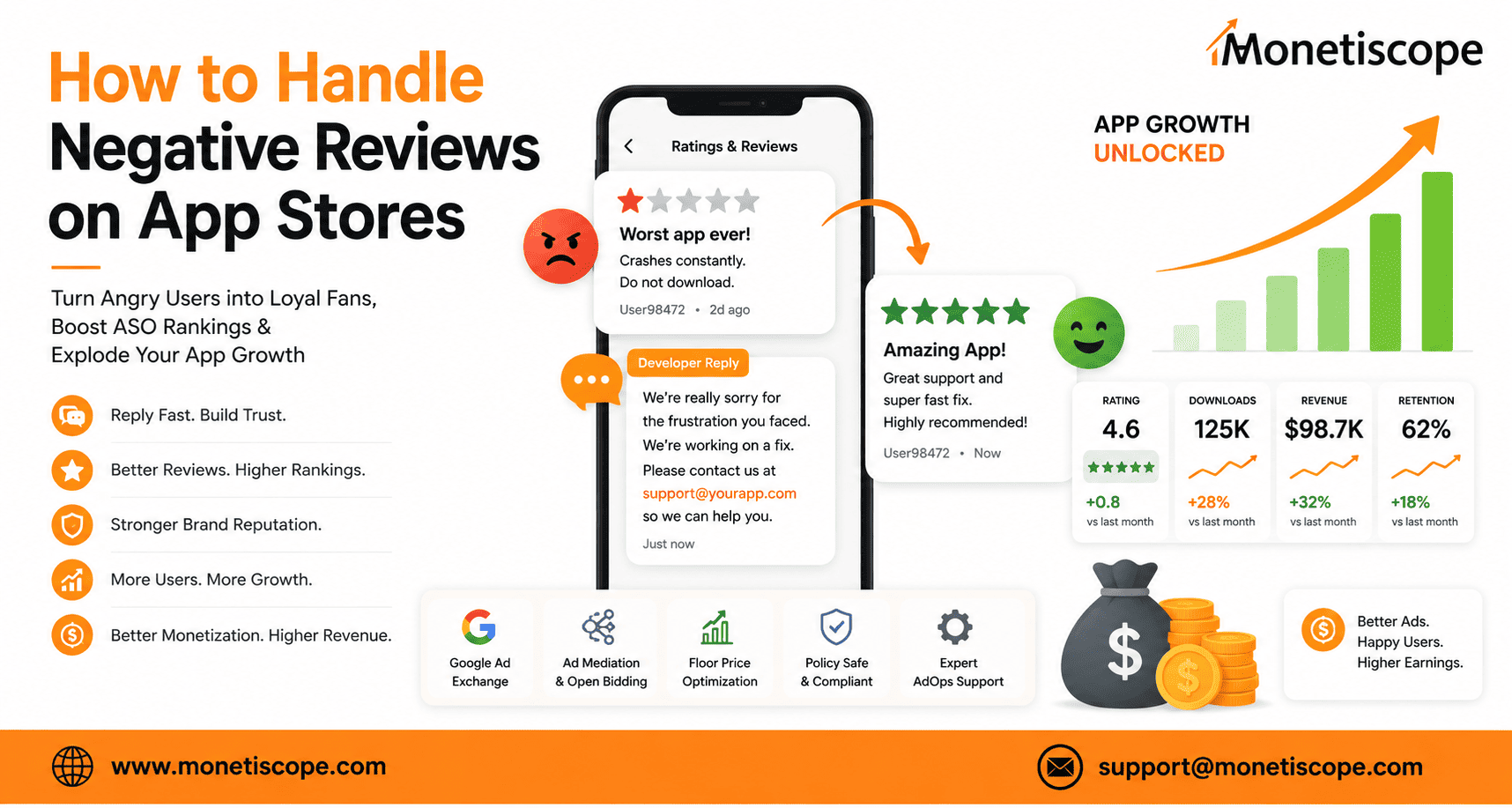
Knowing how to handle negative reviews on app stores is the absolute secret weapon that most mobile developers completely miss when trying to scale their business. Let’s be totally real for a second. Nothing crushes your spirit quite like getting a notification from the Google Play Store or Apple App Store, clicking it, and seeing a bright, angry one-star review. Wow, it feels like a punch in the gut. You worked countless late nights, drank way too much coffee, and poured your absolute soul into building this mobile application. Then someone named “User98472” comes along and writes, “Worst app ever, glitches constantly, do not download.” Yikes. That hurts.
Honestly, your first instinct might be to scream, get defensive, or just crawl into bed and ignore it completely. But here is the crazy truth about your mobile business. Those nasty, angry comments are actually full of pure gold. If you learn the proper steps, you can turn frustrated users into loyal fans. You can also boost your app store optimization (ASO) rankings and significantly increase your long-term retention rates.
Most people don’t realize that a completely flawless 5.0-star rating looks incredibly fake to modern consumers. People are naturally suspicious nowadays. We look for the flaws to see if a product is genuine. This massive guide will break down the exact strategies to handle bad feedback like an absolute pro. We will cover emotional management, deep technical troubleshooting, psychological response tricks, and clever automation strategies. We will also look at how our dedicated expert team here at Monetiscope can help you protect your brand image while maximizing your ad revenue streams simultaneously.
The True Psychology of the Angry Reviewer
To fix a bad review, you first need to understand exactly why someone took the time to write it. People do not just leave bad feedback because they are inherently mean. Well, to be fair, a small percentage of internet trolls are just bored, but the vast majority of your users write bad reviews because of deep, unmanaged frustration. They downloaded your app because they had a specific problem. They trusted you to solve it. When the app crashed, froze, or hit them with an intrusive pop-up ad at the wrong moment, that trust broke.
Understanding this dynamic completely changes how you approach your response strategy. You are not arguing in a court of law. You are trying to rebuild a broken relationship. Let’s look at the three primary types of unhappy reviewers you will encounter in the app stores:
The Desperate Help-Seeker
This user actually likes your product concept but ran into a major technical blocker. Maybe their account won’t log in, or the checkout button is completely unresponsive. They tried to find a support email but couldn’t locate it easily. Writing a bad review is their loud cry for immediate attention. If you reply fast and fix their issue, they will almost always change their rating to a solid five stars.
The Feature Requestor
These users are incredibly opinionated. They want your app to work exactly the way they imagine it in their heads. They will leave a three-star or two-star review saying, “Good app, but it really needs a dark mode option. Will change to 5 stars when added.” They are giving you a literal roadmap to their satisfaction.
The Frustrated Ranter
This is the hardest group to deal with. They had a terrible day, your app glitched, and now they are taking all their life frustration out on your comment section. Their words are sharp, aggressive, and often exaggerated. Responding to them requires an incredible amount of emotional control and calm professionalism.
Myth vs. Truth: The App Store Review Reality
There are so many weird rumors floating around the developer community about how app stores handle user ratings. Let’s bust the most common myths right now so you can focus on data-driven strategies that actually work.
| Myth | Truth | Impact on Your Strategy |
| Negative reviews will instantly get your app banned from stores. | Stores only ban apps for policy violations or malware, not bad reviews. | Don’t panic over bad scores; focus on fixing the core bugs. |
| You can pay a service to delete bad reviews permanently. | Neither Apple nor Google allows deletion unless a review violates terms. | Stop looking for sketchy shortcuts and build an honest response loop instead. |
| Replying to a bad review doesn’t change the user’s mind. | Over 30% of users will update their score if a developer replies helpfully. | Always reply because a huge percentage of ratings are totally salvageable. |
| Intrusive ad setups don’t cause bad reviews if the app is free. | Badly timed ads are the number one cause of sudden one-star ratings. | Optimize your ad placements using clean tools like the Monetiscope plugin. |
Step-by-Step Blueprint: How to Handle Negative Reviews on App Stores
Let’s dive directly into the tactical framework. When a bad review hits your developer console, you need a repeatable process to handle it calmly and effectively without losing your mind.
Step 1: Take an Emotional Breath
Never reply to a user when you are feeling angry or insulted. Let’s be real, a defensive reply from a developer looks incredibly unprofessional to anyone browsing the app store. It makes your brand look small and petty. If a comment makes your blood boil, step away from the computer for fifteen minutes. Drink some water. Remind yourself that this is business, it isn’t a personal attack on your character.
Step 2: Categorize the Issue
Before typing a single word, read the review carefully to figure out what went wrong. Is it a real bug? Is it an issue with user experience design? Or is it a complaint about your monetization strategy? Categorizing the problem helps you choose the perfect pre-saved response template or decide if you need to escalate the issue directly to your engineering team.
Step 3: Validate and Apologize (The Magic Formula)
Every single response you write should start with empathy. Even if the user is being completely unreasonable, apologize for the frustration they experienced. This simple act completely disarms their anger. Acknowledge their specific issue so they know a real human read their message, not an AI bot.
Step 4: Move the Conversation Inbound
The app store review section is a terrible place to do deep technical troubleshooting. You can’t ask for screenshots, you can’t view their user ID safely, and you can’t check their account logs. State clearly what you are doing to fix the issue, then provide a direct support link or email address. Invite them to continue the conversation in a private channel where you can help them thoroughly.
The Hidden Power of App Optimization and Ad Placement
Let’s talk about something that almost nobody connects to bad reviews: your monetization setup. We analyze publisher metrics all day long here at Monetiscope. Do you know what the most common complaint is on free-to-download utility apps and mobile games? It’s bad ad placements.
If a user is trying to complete a task and a full-screen interstitial ad jumps out with zero warning, it ruins their flow. They get annoyed. They head straight to the App Store to leave a flaming review. Meh, nobody likes a broken user experience.
Plaintext
Bad Ad Placement Loop:
Intrusive Ad -> Interrupted User -> High Frustration -> One-Star Review -> Drop in App Store Rankings
This is exactly why smart app developers don’t just throw random ad tags into their code. If you want programmatic advertising explained simply, it is all about finding the perfect balance between user experience and visual layout integrity. If you are using WordPress to run backend sites or utilizing Google Ad Manager (GAM) infrastructures, tools like our free AdX Ad Inserter plugin completely change the game. It lets you handle placements safely without writing messy code that breaks your interface layout.
When you use structured ad blocks, anchor setups, or button-rewarded formats correctly, your users don’t feel spammed. They actually engage with the ads willingly to unlock content. This smart approach keeps your user reviews high while driving your eCPMs through the roof.
Crucial ASO Metrics: Why Google Cares About Your Replies
If you want to rank high on Google search or app store category lists, you need to realize that algorithms are watching how you behave. Both Google and Apple rank apps based on user engagement metrics. This includes your overall star rating, review velocity, and your developer response rate.
When an app developer regularly replies to user feedback, the app store algorithms view that app as active, maintained, and high-quality. This active engagement gives you a subtle boost in keyword rankings. Conversely, if you leave hundreds of user complaints completely unanswered, the algorithm assumes the app is abandoned. It will slowly push your app down the search results list, destroying your organic download numbers.
Advanced Response Frameworks for Common Scenarios
Let’s look at some exact scenarios you will face and how to craft perfect, human-sounding replies that convert angry users into brand advocates.
Scenario A: The App Crashes on Launch
- User Review: “Sucks. Crashes as soon as I open it on my Samsung S24. Waste of space.”
- The Bad Reply: “Works fine on our devices. Update your software.” (Terrible, makes you look lazy).
- The Pro Reply: “Oh no, that sounds incredibly frustrating. We want to get this fixed for you right away. Our team is currently testing the app on the Samsung S24 to find the issue. Could you drop us a quick note at support@ourdomain.com so we can look at your specific account log? We’d love to make this right for you.”
Scenario B: Accusations of “Pay to Win” or “Too Many Ads”
- User Review: “Too many ads. You can’t do anything without watching a video. Total greed.”
- The Bad Reply: “We need to make money to keep the app running.” (True, but sounds defensive).
- The Pro Reply: “Let’s be totally real, nobody loves having their experience interrupted by ads. We offer this app completely free, which means we rely on ads to pay our development bills. That said, we want our ads to feel fair. We are actively adjusting our ad timings right now to make things smoother. Thank you for keeping us honest.”
How Monetiscope Can Protect Your Business and Maximize Your Yield
Managing a growing app portfolio is an exhausting job. You have to handle feature updates, fix server bugs, market your brand, and manage community support channels all at the same time. Honestly, it’s incredibly easy to fall behind on user feedback loop management.
That is exactly where Monetiscope Services LLP steps into the picture. We are an automotive, fast-growing AdTech company trusted by over 300 active publishers globally. Our primary mission is simple: we help content creators and mobile app developers maximize their revenue streams while maintaining an incredibly clean, policy-compliant user experience.
Here is exactly how our specialized team protects your app’s integrity while blowing your revenue targets out of the water:
- Google Ad Exchange (AdX) Premium Demand: We hook your app directly into elite google ad exchange marketplace demand using our Google GCPP and Multiple Customer Management (MCM) partnerships. This connects you with enterprise buyers willing to pay top dollar for premium inventory, giving you higher revenue from fewer, cleaner ads.
- Dedicated Expert AdOps Support: You do not have to stress over setup complexities or policy errors anymore. Our dedicated ad operations squad works behind the scenes managing scripts, auditing setups, and keeping your layouts fully compliant with modern Google guidelines.
- Smart Ad Mediation Technology: We deploy unified mediation layers to force networks to compete directly for every single impression. This setup ensures that whoever wins the placement is always paying the absolute maximum rate available on the global market at that exact millisecond.
- Open Bidding and SDK Bidding Integration: By replacing slow, traditional waterfall structures with advanced Open Bidding and real-time SDK bidding systems, your app experiences near-zero latency. Ads load faster, screens do not lock up, and your users face far fewer reasons to complain.
- Granular Floor Price Optimization: We run persistent historical data analysis to establish dynamic floor price optimization protocols across different regions. This prevents cheap, low-quality programmatic buyers from devaluing your app inventory, successfully shielding your brand from cheap spam banners.
- Auto-Compliance & App-Ads.txt Management: Our proprietary software networks manage lines seamlessly. This prevents sudden ad serving suspensions and protects your app monetization inventory from fraudulent spoofing setups without you needing to upload server files manually.
Apply Now
By letting Monetiscope optimize your ad frequencies, placement timings, and fill rates safely, you eliminate the main cause of user frustration entirely. Your app runs faster, your layouts stay beautiful, and your ad revenue grows consistently. This gives your internal team the freedom to focus purely on building amazing features and scaling your business safely.
Conclusion: Turn Your Vulnerabilities Into Trust
At the end of the day, learning how to handle negative reviews on app stores is all about shifting your perspective. Don’t look at a bad review as a failure. Look at it as a completely free, highly accurate user testing session. The people leaving bad marks are pointing out the exact friction points holding your business back from scaling.
Be kind, respond fast, fix the core technical bugs, and ensure your monetization strategy treats users with respect. When potential downloaders browse your store page and see a developer actively listening, apologizing, and fixing real issues, their trust increases dramatically. They will download your app with total confidence, knowing a real human stands firmly behind the code.
Frequently Asked Questions
Can I delete fake negative reviews from my app store page?
You can’t delete reviews manually from your developer panel. However, if a review uses profanity, contains clear spam links, or looks like a targeted attack from a competitor, you can flag it. Both Apple and Google provide a “Report a Concern” button. If their automated moderation team agrees the comment violates their terms, they will remove it.
How fast should I reply to a one-star review?
Try to respond within 24 to 48 hours max. Users are highly emotional right after a bad experience occurs. If you reply quickly while they still have the app installed, your chances of getting them to update their score increase dramatically. If you wait weeks, they will likely have uninstalled your app and forgotten it exists.
Does updating my app delete old bad reviews?
No, it does not delete them completely. However, both platforms show a summary section displaying ratings for the “Current Version” alongside the “All Time” score. If your latest update fixes the bugs causing old complaints, your current score will rise quickly, making old complaints look less relevant to new visitors.
How does Monetiscope’s ad mediation prevent users from writing angry complaints?
Traditional waterfalls often freeze user devices while hunting for an ad, which triggers app crashes and nasty feedback. Our mediation tech forces networks to bid simultaneously via real-time SDK systems. This means ads load instantly without lag, maintaining a smooth experience that keeps your comment sections clean.
Why do some users leave a 1-star review but write a positive comment?
This happens surprisingly often due to interface confusion. Some users genuinely think 1 star means “number one best app.” Other times, they misclick the star rating bar on their touchscreens. Always reply politely to these reviews, thanking them for the kind words, and gently ask if they would consider adjusting the star count to match their positive feedback.
Will dynamic floor price optimization reduce my fill rates and cause blank ad spaces?
If managed incorrectly by amateurs, yes, setting high floors can cause blank spaces. However, the Monetiscope team uses automated data tools to constantly adjust floors dynamically based on active market demand. We make sure your inventory stays filled with premium programmatic buyers while completely filtering out the low-paying, spam-heavy ads that annoy users.
How can bad ad placements damage my app store visibility?
Intrusive or broken ad tags cause high uninstall rates and rapid bad reviews. App stores track how long users keep an app installed. If thousands of people download your app and delete it within five minutes because of bad ads, the algorithm will lower your keyword rankings significantly.
Can Monetiscope’s AdOps support group help resolve Google policy violations?
Absolutely, that is our specialty. Our dedicated ad operations team keeps a continuous watch on layout alignment and content constraints. If your app catches an accidental policy flag or an ads.txt configuration error, we jump in instantly to audit the code architecture and re-align settings to clear up issues before they spark bad user scores.