WARNING: Skipping Your Google Ad Manager App Confirmation Will Completely Destroy Your Revenue

ย WARNING: Skipping Your Google Ad Manager App Confirmation Will Completely Destroy Your Revenue!

Let’s be real for a second. You probably get a ton of automated emails from Google. Most of them are pretty boring. You glance at them and delete them. Meh, just another minor policy tweak, right?

Wrong.

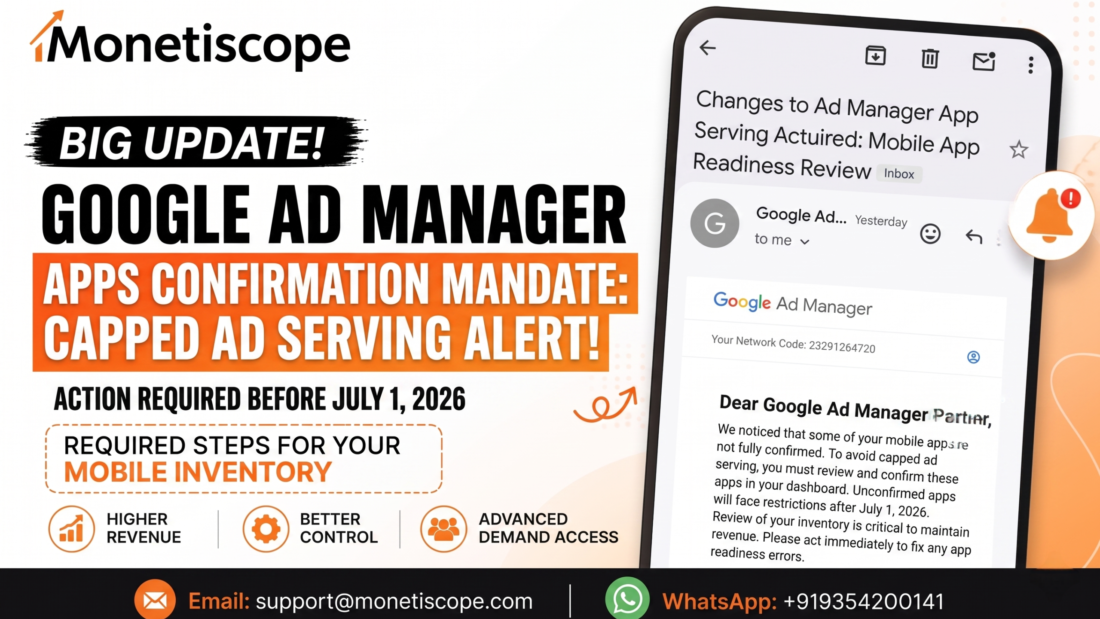
If you saw the recent email regarding your mobile applications, you need to pay close attention. Yikes. This particular update is actually a massive deal. You have to act before July 1, 2026. Otherwise, your revenue is going to take a huge hit. Honestly, nobody wants to lose hard-earned money over a simple dashboard error.

Navigating the Google Ad Manager app confirmation is your top priority right now.

If you are a publisher or an app developer, you rely on consistent ad serving. You pay your bills with those impressions. You fund your next big project with that revenue. Letting a technicality ruin your cash flow is simply unacceptable.

We are going to break down exactly what this email means. We will look at why Google is pushing this update. More importantly, we will show you exactly how to fix it.

What Is Actually Happening Here?

Over the last two years, Google rolled out something called app readiness reviews. This was a major shift in the ecosystem. They wanted to clean up the advertising space. To be fair, that makes total sense.

Advertisers want quality traffic. They pay top dollar for real human eyes. They absolutely do not want shady, unverified apps draining their marketing budgets.

Because of this, all new apps had to be thoroughly reviewed. They had to be officially approved before they could start serving ads. It was a strict gatekeeping process.

But what about the older apps? What about your existing digital inventory?

That is exactly where this new 2026 mandate comes into play. Google is closing the loophole. If you have an existing app that isn’t fully set up, you are on the radar. If it is not linked to a supported app store, you have a problem.

You are now required to officially claim and verify your properties in the dashboard.

The Dreaded Penalty: Capped Ad Serving

Let’s talk about the actual penalty for ignoring this. The email mentions “capped ad serving.” That phrase sounds relatively polite. It sounds mild.

It is not mild at all.

Capped ad serving means Google intentionally restricts how many ads show up. Your fill rates will plummet. Your daily impressions will fall off a cliff. Ultimately, this results in a massive drop in your overall revenue.

Wow. Imagine waking up in early July 2026. You check your earnings dashboard. You realize you are only making a fraction of your normal daily rate. That seems like an absolute nightmare, honestly.

You worked incredibly hard to build your mobile audience. You spent money on user acquisition. Do not let a simple administrative oversight ruin your profitability.

Why Is Google Being So Strict?

You might be wondering why they are forcing this issue right now. It all comes down to ecosystem trust.

Ad spoofing is a real problem in the adtech industry. Malicious actors sometimes pretend to be premium apps. They steal publisher ad codes. They generate fake traffic to steal advertiser money.

By forcing publishers to manually verify their inventory, Google stops this fraud. They ensure that only legitimate owners can monetize specific bundle IDs.

This protects the advertisers. It also protects legitimate publishers like you. It keeps the value of your real inventory high.

Myth vs. Truth: The App Readiness Update

People often get confused about these major policy updates. Let’s clear the air right now.

Myth: Capped ad serving only affects brand new Ad Manager accounts.

Truth: False. It affects absolutely everyone who has unconfirmed mobile inventory. Even veteran accounts are at risk.

Myth: I can just ignore the suggestions tab if my apps are already live.

Truth: Do not do this. Ignoring the dashboard alerts triggers the penalty automatically by the deadline.

Myth: Linking an app takes hours of complex coding work.

Truth: It requires zero coding. It is a simple administrative task inside the dashboard.

Myth: If I block an app by mistake, I lose it forever.

Truth: You can easily unblock an app with a single click later on.

Step-by-Step Guide: How to Fix The Issue

Google has actually made the resolution process fairly straightforward. You just need to know where to click. Let’s walk through the exact steps outlined in the recent communication.

First, you need to sign in to your main account. Make sure you have administrator privileges.

Look at the main sidebar on the left side of your screen.

Click on the “Inventory” section.

From that dropdown menu, click on “Apps”.

Now, look at the top navigation area. You will see a specific tab labeled “Apps to confirm”. Click on that tab immediately.

This is where the magic happens. You will see a list of highlighted applications. These are apps currently generating ad queries using your specific publisher code. However, they are not officially linked to your account yet.

Google gives you helpful data here to identify them. You will see the package name. You will see the bundle ID. You will even see the number of ad queries from the last seven days.

This data helps you easily spot your real properties.

Scenario A: It Is Your App

If you recognize the application, you need to claim it.

Look at the “Action” column on the right side.

Click the button that says “Finish Setup”.

You now have a choice. You can add this to your list by creating a new entry. Or, you can select a suggested unlinked existing entry.

Make your choice and click “Continue”.

Next, you must link the application to a supported app store. This is a critical step for verification.

Find your store listing. Click “Continue”.

Review all of your changes very carefully on the final screen. If everything looks correct, click “Add App”.

Bam. You are done with this specific property. You have successfully claimed it. Google will now run a few background checks to ensure policy compliance. Once cleared, it is fully ready to show ads without restrictions.

Scenario B: It Is NOT Your App

What if you see something weird on that list? What if someone is spoofing your code? Gross.

Do not panic. You can handle this easily.

Look at the “Action” column again.

Click the option that says “Not my app”.

This is a powerful action. It instantly blocks ad serving from that selected property on both Ad Manager and AdMob.

It deletes the shady property from your suggested list. It also removes it from surfacing in your Policy Center. It cleans up your app-ads.txt pages automatically.

This keeps your account healthy and free from invalid traffic violations.

Oops, I Made A Mistake!

We are all human. Mistakes happen all the time.

Did you accidentally click “Not my app” on your own property? No sweat.

You can reverse this action quickly. Go back to the “Apps to confirm” tab.

Filter the view to show only “Blocked” properties.

Find the one you messed up. Click “Unblock” in the action column.

It goes right back into your queue for proper setup.

The Cost of Ignoring The Deadline

Let’s dive deeper into the financial reality here. July 2026 might feel far away right now. It will sneak up on you fast.

Handling this Google Ad Manager app confirmation process manually can feel tedious. But it is necessary.

If you run a large portfolio, you might have dozens of unlinked properties. Going through them one by one is boring. But think about the alternative.

Imagine losing 80% of your daily yield because you skipped a thirty-minute task. That is just bad business. You cannot afford to be lazy with Google’s core policy updates.

They enforce these rules strictly by automated algorithms. There is no human support agent who will save you after the deadline passes. You must be proactive.

Understanding The Impact Visually

Sometimes it helps to see the data laid out clearly. Here is a simple breakdown of what happens based on your actions.

App Status Before DeadlineAction Taken by PublisherAd Serving Post-July 2026Revenue Impact
Unlinked / SuggestedClicked “Finish Setup”Normal, unrestricted servingSteady or growing
Unlinked / SuggestedIgnored the alert completelyCapped ad serving appliedSevere daily losses
Unlinked / SuggestedClicked “Not my app”Serving completely blockedNone (Fraud prevented)
Blocked by mistakeClicked “Unblock” & SetupNormal, unrestricted servingSteady or growing

As you can see, ignoring the dashboard is the only truly destructive option here.

Why Doing This Alone Is Extremely Risky

Managing ad tech is incredibly complicated these days. Honestly, it is a full-time job.

You are a business owner. You are a content creator. You should be focusing on building great products. You should be marketing to new users.

You definitely shouldn’t be fighting with a complex dashboard all day. AdX policies change constantly. Keeping up with them is exhausting.

If you mess up your app-ads.txt file during this process, you break your monetization. If you link to the wrong store URL, you get flagged for policy violations.

There are too many moving parts for a busy founder to juggle alone.

The Monetiscope Solution: Your Ultimate AdTech Partner

This is exactly where we step in to save the day. The expert team at Monetiscope is your ultimate solution for all things AdX.

We specialize in high-level ad revenue optimization. We handle all the tedious policy compliance tasks for you. We know these dashboards inside and out.

When Google rolls out massive updates like this, our partners do not panic. They know we already have it handled.

We protect your revenue streams actively. We maximize your daily yield through smart optimization. We even develop custom WordPress plugins specifically designed for publishers to make life easier.

Partnering with Monetiscope gives you total peace of mind. We can manage your entire Google Ad Manager app confirmation from start to finish.

You hand us the keys. We clean up the inventory. We link the stores. We block the spoofers. We ensure your revenue continues to flow without a single interruption.

No doubt, having industry experts in your corner is the smartest business move you can make today.

Beyond 2026: The Future of App Monetization

Let’s look ahead for a minute. This update is just one piece of a much larger puzzle.

Google is moving toward a highly verified, highly transparent ecosystem. Advertisers are demanding proof of quality. They want to know exactly where every single dollar goes.

In the future, we expect even stricter readiness checks. We expect continuous monitoring of app quality.

If your app crashes frequently, you might lose ad serving. If your app has abusive ad placements, you will definitely get banned.

The days of setting and forgetting your monetization are completely over. You need active management. You need constant optimization.

This is why having a partner like Monetiscope is crucial. We watch the trends. We adapt to the algorithms before they negatively impact your bottom line.

The Deep Dive: Why App-Ads.txt Matters Here

While we are on the topic of verifying inventory, let’s talk about your app-ads.txt file.

When you confirm an app in the dashboard, that is only step one. Step two involves ensuring your developer website hosts a valid text file.

This file publicly declares who is authorized to sell your inventory. It is a critical anti-fraud measure.

If you confirm your app in the dashboard, but your app-ads.txt file is missing, you still lose money. Buyers will simply refuse to bid on your inventory.

You must ensure that your publisher ID is correctly formatted within that file. You must ensure the file is hosted on the exact root domain listed in your app store profile.

It sounds highly technical, because it is. One typo can ruin your fill rate.

Again, this is why trying to manage a large portfolio alone is a bad idea. Let the experts handle the syntax and the hosting verifications.

The Threat of Invalid Traffic (IVT)

Let’s circle back to why you might see apps you don’t own in your dashboard.

Invalid traffic is a massive industry problem. Scammers use botnets to generate fake clicks. They try to funnel that fake traffic through stolen publisher IDs.

When you see a weird bundle ID in your “Apps to confirm” list, you are witnessing an IVT attempt.

By clicking “Not my app”, you are actively fighting ad fraud. You are telling Google’s algorithms that this specific traffic source is illegitimate.

This actually helps your overall account health. It proves to Google that you are a responsible publisher. It shows you monitor your traffic sources actively.

Accounts with high trust scores often get access to premium advertiser campaigns. So, cleaning up your dashboard actually boosts your long-term earning potential.

Final Thoughts and Immediate Action Plan

The clock is officially ticking. July 2026 will be here before you know it.

You cannot afford to procrastinate on this specific task. The financial penalties are simply too severe. Capped serving will destroy your business model.

Log into your account today. Check your inventory tab. See how many properties are currently unlinked.

If the list is small, handle it right now. Click the buttons. Link the stores.

If the list is massive, or if you feel overwhelmed by the technical requirements, reach out immediately. Contact the team at Monetiscope.

We will audit your entire account setup. We will secure your inventory. We will make sure you are fully compliant long before the deadline hits.

Do not leave your revenue to chance. Take control of your adtech stack today.

Frequently Asked Questions (FAQ)

What is the absolute final deadline for this update?

You must complete all necessary setups before July 1, 2026. Failing to do so triggers automated penalties from the system.

What exactly happens if I miss the deadline?

Your unverified inventory will face severely capped ad serving. This restricts the volume of ads shown, drastically reducing your daily earnings.

Where do I find the list of properties I need to review?

Log into your main dashboard, navigate to the sidebar, click “Inventory,” then select “Apps,” and open the specific “Apps to confirm” tab.

What does the “Not my app” button actually do?

Clicking this permanently blocks ad serving for that specific bundle ID. It prevents scammers from monetizing fake traffic using your unique publisher code.

Can I reverse a blocked decision if I make a mistake?

Yes, the process is very forgiving. Simply filter your dashboard view to show blocked properties and click the unblock option to restore it.

Does this new policy affect my desktop web inventory too?

No, this specific update targets mobile applications exclusively. Web properties rely on different verification methods like standard ads.txt files.

Why is Google forcing publishers to do this right now?

They are trying to aggressively clean up the mobile advertising ecosystem. Verifying ownership protects advertiser budgets and maintains high traffic quality.

How long do the readiness checks take after I finish the setup?

Usually, the automated background checks only take a few days. However, complex accounts might require slightly longer review periods.

Can the team at Monetiscope handle this entire process for my company?

Absolutely. Our adtech experts specialize in dashboard management, policy compliance, and revenue optimization for busy publishers.

What happens if I confirm the property but forget to update my app-ads.txt file?

You will still experience major revenue drops. Premium buyers require both dashboard confirmation and a valid, publicly hosted text file to bid.

Encouraging Accidental Clicks: A Hidden Ad Policy Violation Publishers Must Know

Encouraging Accidental Clicks: A Hidden Ad Policy Violation Publishers Must Know

Many publishers aim to increase ad clicks because clicks often look like easy revenue. At first glance, this strategy feels logical and harmless. However, not every click helps your business grow. Some clicks come from genuine user interest, while others happen by mistake. These mistaken interactions are known as accidental clicks, and they quietly damage your monetization future.

Accidental clicks create serious problems for advertisers and ad platforms. Advertisers pay for clicks that never convert, and platforms lose trust in traffic quality. As a result, publishers face revenue deductions, account warnings, or even permanent bans. The biggest risk is that many publishers encourage accidental clicks without realizing it. This makes the violation hidden but extremely dangerous.

What Are Accidental Clicks?

Accidental clicks occur when users click on ads unintentionally. The user never planned to engage with the advertisement. Instead, poor design choices, confusing layouts, or aggressive placements cause these clicks. The intent behind the click does not matter to ad platforms. What matters is the outcome.

Examples include ads placed near navigation menus, ads blended with content, or ads appearing suddenly while users scroll. In each case, the user clicks by mistake, the advertiser pays, and the ecosystem suffers. Google classifies these interactions as invalid activity, even if the publisher never intended to manipulate users.

Why Ad Platforms Take Accidental Clicks Seriously

Ad platforms exist to protect advertisers. Advertisers fund the entire digital advertising ecosystem. When accidental clicks rise, advertiser performance drops quickly. Conversion rates decline, campaign budgets get wasted, and confidence in the platform weakens.

Google closely tracks user behavior after every ad click. They analyze how long users stay on the advertiserโ€™s page and whether users immediately bounce back. When clicks show no engagement, Google flags the traffic. Even honest publishers face penalties because intent does not excuse poor outcomes. This makes accidental clicks a serious compliance issue.

Why Publishers Accidentally Encourage These Clicks

Most publishers do not aim to violate policies. Instead, pressure drives risky decisions. Low traffic, declining CPMs, or slow growth push publishers to experiment aggressively. Unfortunately, many copy layouts from competitors or follow misleading advice online.

Without proper monetization knowledge, publishers unknowingly design layouts that increase misclicks. Google does not accept ignorance as a defense. Once systems detect harmful patterns, enforcement follows automatically.

Common Design Mistakes That Encourage Accidental Clicks

Ads Placed Too Close to Navigation Menus

Navigation menus receive frequent taps, especially on mobile devices. When ads sit near these menus, users often misclick while trying to navigate. Thumb scrolling increases this risk on small screens. Google clearly considers this placement misleading because it manipulates natural user behavior.

Ads Near Buttons or Call-to-Action Elements

Buttons encourage interaction and signal safety to users. When ads appear near download buttons, โ€œnextโ€ buttons, or โ€œread moreโ€ links, confusion occurs. Users click expecting an action, not an advertisement. This violates the requirement for clear separation between ads and functional elements.

Ads That Look Like Content

Some publishers design ads to mimic articles, lists, or headlines. They copy fonts, colors, and spacing to blend ads into content. Users click believing they are opening content. Google strictly prohibits this behavior. Even native ads must include visible labels that clearly indicate advertising.

Sticky Ads That Block Content Interaction

Sticky ads can perform well when used carefully. However, problems arise when they block content or interfere with scrolling. Users try to close the ad or scroll the page and accidentally click instead. This behavior commonly triggers violations, especially on mobile devices.

Ads Appearing Suddenly During Scroll

Lazy-loaded ads sometimes appear while users scroll. When layouts shift suddenly, users tap content and hit an ad instead. Google tracks these patterns closely because they indicate poor user experience. This issue also harms Core Web Vitals, especially layout stability scores.

Too Many Ads in One Screen

Ad overload creates visual chaos. Users struggle to identify content and navigation. When too many ads compete for attention, misclicks increase. Google evaluates ad density and expects balance. Excessive ads hurt trust and reduce long-term revenue potential.

Misleading Labels and Instruction
Some publishers use dangerous language like โ€œclick here to support usโ€ or โ€œtap the ad to continue.โ€ These instructions directly violate ad policies. They count as forced or incentivized engagement. Even subtle wording can trigger enforcement through automated or manual reviews.

How Google Detects Accidental Clicks

Many publishers assume detection relies only on manual reviews. In reality, Google uses advanced automated systems. These systems analyze behavior patterns across millions of interactions. Single clicks rarely cause action, but repeated signals raise red flags.

Key signals include extremely short visit durations, high bounce rates after ad clicks, unusual mobile behavior, and repeated accidental patterns. Google also uses human reviewers, especially after advertiser complaints. Once flagged, recovery becomes difficult, making prevention far more effective than appeals.

The Real Consequences of Encouraging Accidental Clicks

Google often starts with silent revenue adjustments. Publishers may notice reduced payouts without clear explanations. These adjustments protect advertisers and reflect traffic quality concerns.

In more serious cases, Google issues warnings or limits ad serving. Revenue drops suddenly, affecting growth and planning. Repeated violations can lead to permanent account suspension. Once banned, publishers struggle to re-enter the ecosystem because new accounts face heavy scrutiny.

Why Short-Term Gains Destroy Long-Term Growth

Accidental clicks inflate metrics temporarily but offer no real value. Advertisers respond by lowering bids or stopping campaigns entirely. Over time, CPMs decline and revenue becomes unstable.

Sustainable monetization depends on trust and genuine engagement. When users click ads intentionally, advertisers see better results. Google rewards such traffic with higher demand and better fill rates. Quality always outperforms shortcuts.

Best Practices to Prevent Accidental Clicks

Publishers should maintain clear visual separation between ads and content. Ads must look different and feel distinct. Borders, spacing, and contrast help reduce confusion.

Respect user interaction zones by keeping ads away from menus, buttons, and navigation areas. This matters even more on mobile layouts. Sticky and anchor ads should include easy close buttons and reasonable frequency limits.

Most importantly, prioritize user experience over short-term revenue. Happy users stay longer, engage more, and generate higher-value traffic. Monitoring metrics like bounce rate, CTR spikes, and session duration helps identify risks early.

How Monetiscope Helps Publishers Stay Policy-Safe

Monetiscope focuses on long-term monetization growth, not risky shortcuts. Our team audits ad placements carefully and optimizes layouts for user experience. We balance revenue performance with strict policy compliance.

By improving traffic quality and ad engagement, we help publishers achieve stable CPM growth. This approach builds advertiser trust and protects accounts from hidden violations that often go unnoticed.

Final Thoughts: Click Quality Matters More Than Click Quantity

Not every click benefits your business. Some clicks damage your reputation and revenue future. Accidental clicks may look harmless, but their impact is serious and lasting.

Smart publishers design responsibly and prioritize user trust. When users trust your platform, engagement improves naturally. That trust leads to sustainable revenue growth that lasts.

Frequently Asked Questions (FAQs)

Are accidental clicks considered invalid traffic?

Yes. Google treats accidental clicks as invalid activity, regardless of intent.

Can accidental clicks lead to account suspension?

Yes. Repeated patterns can result in warnings, limits, or permanent bans.

Are mobile sites more vulnerable to accidental clicks?

Yes. Small screens and thumb navigation increase misclick risks.

Are ads allowed near content?

Yes, but only with clear visual separation and no misleading design.

Do sticky ads violate policies automatically?

No. They violate policies only when they block content or cause misclicks.

How can publishers detect accidental clicks early?

By monitoring bounce rates, CTR spikes, and post-click engagement.

Does Google always issue warnings first?

No. Serious violations may skip warnings entirely.

Can accidental clicks reduce advertiser demand?

Yes. Poor traffic quality lowers bids and long-term revenue.

Endpoints and oRTB Explained: How Apps, CTV, and Websites Are Quietly Making More Money in 2026

Endpoints and oRTB Explained: How Apps, CTV, and Websites Are Quietly Making More Money in 2026

Introduction: Why Everyone Is Suddenly Talking About Endpoints and oRTB

If youโ€™ve been around monetization for a while, youโ€™ve probably noticed something.

Some publishers are earning way more with the same traffic.
Same users.
Same content.
Same apps.

Yet their numbers look different.

Higher eCPM.
Better fill rate.
More stable revenue.

Most of the time, the difference comes down to endpoints and oRTB integration.

Not design.
Not content.
Not traffic tricks.

Just smarter monetization plumbing.

This article explains, in simple terms:

  • What endpoints and oRTB actually mean
  • How they work across apps, CTV, and websites
  • Why oRTB improves performance
  • How DSP resale compares with AdMob, AdSense, and AdX
  • And how Monetiscope helps publishers use this ecosystem properly

Letโ€™s break it down, without buzzwords.

What Are Endpoints and oRTB Integration?

Letโ€™s start simple.

What is oRTB?

oRTB (Open Real-Time Bidding) is a standardized way for advertisers to bid on ad impressions in real time.

Every time an ad loads:

  • An auction happens
  • Multiple advertisers bid
  • The highest valid bid wins

This entire process happens in milliseconds.

Thatโ€™s oRTB.

What is an Endpoint?

An endpoint is the technical entry point where ad requests are sent.

Think of it like:

  • A door to the auction
  • A URL or system that receives bid requests
  • The place where DSPs listen and respond

So:

  • oRTB = the auction rules
  • Endpoint = where the auction happens

This is why publishers often ask, โ€œDo you have an endpoint?โ€

Theyโ€™re asking how the auction is accessed.

Endpoints and oRTB Integration Across Platforms

Now letโ€™s talk platforms. Because this is where confusion usually starts.

Endpoints and oRTB Integration for Websites

Websites were the first to adopt oRTB at scale.

Common setup:

  • Website โ†’ Ad server (GAM or custom)
  • Ad request โ†’ oRTB endpoint
  • DSPs bid โ†’ highest bid wins

Web environments are flexible.
Endpoints can be:

  • Direct
  • GAM-managed
  • Header bidding based

Thatโ€™s why web monetization moved fast.

Endpoints and oRTB Integration for Apps

Apps are different.

They run inside SDKs.
They must follow strict store policies.

For apps:

  • Direct raw endpoints are risky
  • Most oRTB runs via:

So yes, oRTB exists in apps, but publishers usually donโ€™t touch endpoints directly.

The endpoint lives inside the platform.

This protects:

  • Traffic quality
  • App stability
  • Advertiser trust

Endpoints and oRTB Integration for CTV

CTV is where oRTB is exploding right now.

CTV works well with oRTB because:

  • Inventory is premium
  • Viewability is high
  • Advertisers pay more

Here, endpoints often:

  • Sit at the platform level
  • Connect multiple DSPs
  • Focus heavily on video signals

For CTV, oRTB isnโ€™t optional anymore.
Itโ€™s the default.

How Endpoints and oRTB Work in Real-World Monetization

Letโ€™s walk through a real example.

  1. A user opens an app or website
  2. An ad request is generated
  3. The request hits an endpoint
  4. DSPs receive bid requests
  5. DSPs respond with bids
  6. The auction runs
  7. The highest eligible bid wins
  8. The ad is served

All of this happens in milliseconds.

The key difference?
Who is allowed to bid.

Thatโ€™s where performance is decided.

How oRTB Improves Monetization Performance

This is where oRTB shines.

1. Higher eCPM

More bidders = more competition.
More competition = higher prices.

Single-network setups cap bidding power.

oRTB removes that cap.

2. Better Fill Rate

If one buyer skips an impression, others donโ€™t.

Thatโ€™s why:

  • Fill rate stays stable
  • Inventory doesnโ€™t go unsold

3. Access to Premium Demand

oRTB opens doors to:

  • DSPs
  • Agencies
  • Brand buyers
  • Performance advertisers

Not just one demand source.

4. Smarter Pricing Control

With proper setup:

  • Floors can be optimized
  • Bidders can be segmented
  • Inventory can be valued properly

This is impossible in rigid setups.

Traditional Monetization vs oRTB-Based Monetization

This difference matters more than people realize.

Traditional Monetization

  • One network controls demand
  • Limited auction pressure
  • Static pricing logic
  • Less transparency

oRTB-Based Monetization

  • Multiple DSPs compete
  • Dynamic auctions
  • Flexible pricing
  • Better demand discovery

Hereโ€™s a simple comparison.

AspectTraditional MonetizationoRTB-Based Monetization
DemandLimitedMultiple DSPs
eCPMOften cappedMarket-driven
Fill rateNetwork-dependentAuction-driven
ControlLowHigh
ScalabilityMediumHigh

DSP Resale vs AdMob, AdSense, and AdX

This is where many publishers get stuck.

Letโ€™s compare honestly.

AdSense / AdMob

  • Easy to start
  • Good for beginners
  • Limited competition
  • Google-only demand

AdX

  • Premium demand
  • Strong performance
  • Requires approval
  • Managed setups

DSP Resale

  • Direct access to DSP demand
  • Flexible auctions
  • Requires expertise
  • Performance depends on setup

Hereโ€™s a clear table.

FeatureAdMob / AdSenseAdXDSP Resale
Demand accessGoogle onlyPremium buyersMultiple DSPs
Auction depthLowHighVery high
FlexibilityLowMediumHigh
RiskLowMediumDepends on setup
Revenue potentialLimitedHighVery high (if done right)

DSP resale isnโ€™t bad.
Itโ€™s just not plug-and-play.

Why Some DSP Resale Setups Fail

Letโ€™s be honest here.

DSP resale fails when:

  • Floors are too low
  • Too many weak DSPs are added
  • No differentiation by format
  • No quality filtering exists

That leads to:

  • Banner CPM collapse
  • Video underbidding
  • Advertisers winning cheap

oRTB needs structure.

How Monetiscope Helps Publishers With Endpoints and oRTB Integration

This is where Monetiscope comes in.

We donโ€™t just โ€œconnect demand.โ€

We focus on making auctions work.

What Monetiscope Actually Does

  • Helps design safe oRTB architecture
  • Supports GAM-based and platform-based oRTB
  • Optimizes floor pricing by format and bidder
  • Balances fill rate and eCPM
  • Helps publishers choose the right demand mix
  • Supports DSP resale without killing CPMs

We care about outcomes, not just integrations.

Many publishers see 20โ€“40% revenue improvement when oRTB is structured properly.

Myths vs Truths About Endpoints and oRTB Integration

Myth 1: Direct endpoints always pay more

Truth:
Bad endpoints with bad floors pay less.

Myth 2: oRTB is only for big publishers

Truth:
Small publishers benefit the most from competition.

Myth 3: AdMob is always safer

Truth:
Safer doesnโ€™t always mean optimal.

Myth 4: DSP resale is easy

Truth:
It needs strategy, not just access.

Final Thoughts: oRTB Is Not the Future. Itโ€™s the Present.

If youโ€™re still running monetization like itโ€™s 2018, youโ€™re falling behind.

Endpoints and oRTB integration are already shaping:

  • Apps
  • CTV
  • Websites

The question isnโ€™t if you should use oRTB.

Itโ€™s how.

And thatโ€™s where the right partner matters.

FAQs: Endpoints and oRTB Integration

What is an oRTB endpoint?

Itโ€™s the technical entry point where bid requests are sent.

Are endpoints universal for all publishers?

No. Theyโ€™re usually platform or account specific.

Can apps use direct oRTB endpoints?

Technically yes, but itโ€™s risky and usually avoided.

Is oRTB better than AdMob?

In many cases, yes, due to higher competition.

Does oRTB guarantee higher eCPM?

No guarantees, but strong potential when optimized.

Is DSP resale the same as AdX?

No. DSP resale offers more flexibility but needs expertise.

Does Monetiscope support oRTB?

Yes, across apps, CTV, and websites.

Is oRTB compliant with Google policies?

Yes, when implemented correctly.

What formats work best with oRTB?

Video, rewarded, interstitial, and high-viewability banners.

Who should consider oRTB integration?

Publishers looking to scale revenue beyond basic networks.

Why Most Publishers Fail: The Truth About Shortcut Monetization vs Long-Term Revenue Strategies in 2025

Why Most Publishers Fail: The Truth About Shortcut Monetization vs Long-Term Revenue Strategies in 2025

Many website and app publishers still depend on shortcut monetization methodsโ€”templated sites, misleading traffic, fake apps, and wrong ad placements. This article explains why these shortcuts fail, what Google really expects, and how publishers can shift toward long-term revenue strategies with high-quality ideas like job portals, news sites, AI tool platforms, and more.

Shortcut Monetization Is Everywhereโ€ฆ But Itโ€™s Slowly Killing Publisher Growth

Every few months we see a new wave of publishers entering the marketโ€”some with websites, some with Android and iOS apps, and a few even shifting into CTV. And most of them arrive with the same mindset:
โ€œLet me find a shortcut.โ€
โ€œLet me create something that starts earning tomorrow.โ€
โ€œContent creation is hardโ€ฆ is there any โ€˜hackโ€™ for quick revenue?โ€

This mindset is the biggest reason why most publishers fail within their first year. Whatโ€™s more disappointing is that many of them donโ€™t even realize how limited their strategy is until they face policy violations, low eCPM, or account termination.

Letโ€™s be honest: the digital monetization ecosystem is evolving fast. Google is smarter, users are smarter, and platforms have become extremely strict. Yet many publishers still depend on shortcutsโ€”templated websites, auto-generated articles, copied news, fake utility apps, HTML5 template sites with misleading UX, or even the classic โ€œVPN + status downloader + fake video callโ€ app trio.

On paper, these shortcuts look easy. In real life, they collapse faster than they scale.

This article dives deep into why shortcut monetization doesnโ€™t work, why website and app publishers fall into this trap, and what long-term revenue strategies actually make sense in 2025 and beyond.

Why Shortcut Monetization Became So Popular Among Website Publishers

A large number of new website publishers today start with:

  • a pre-made template
  • a few scraped or copied articles
  • a traffic trick (Pinterest bots, FB groups spam, or clickbait popups)
  • and a dream to get AdSense or AdX approval

Itโ€™s not entirely their fault. The internet is full of YouTube tutorials teaching:
โ€œMake a website in 10 minutes and earn $500 per day.โ€
โ€œNo writing needed. Just copy and paste.โ€
โ€œUse this auto-blog tool and generate 100 posts per day.โ€

This dream is convincing, but itโ€™s also deeply misleading.

Shortcut monetization became popular because it promises low effort, quick output. But what publishers donโ€™t realize is that Google already knows these patterns extremely well. Every page layout similarity, every HTML5 template, every AI-spun articleโ€ฆ everything is detectable.

The real problem:

Publishers stop thinking creatively.
They stop analyzing user intent.
They stop innovating and just want โ€œfast money.โ€

The result?
Low traffic โ†’ low engagement โ†’ policy violations โ†’ account closure โ†’ frustration โ†’ quitting.

App Publishers Are Doing the Same Mistakes โ€” Just on a Bigger Scale

If we talk about app publishers, the shortcut mindset is almost identical. The most common shortcut apps include:

  • VPN apps with zero backend logic
  • Status downloader apps
  • โ€œFakeโ€ video calling apps (simulated calls)
  • Flashlight apps
  • PDF converter clones
  • Horoscope generators
  • Free music downloaders (highly risky)

These apps are created just to generate installs and run ads. The concept is simple:
โ€œPeople search for these terms, so letโ€™s make a quick app.โ€

But hereโ€™s the problem โ€” the Play Store is already filled with clones. When an app looks like a replica of another, users trust it less, spend less time inside it, and uninstall quickly. This leads to:

  • Low engagement
  • Low retention
  • Low ARPU
  • High invalid traffic risk
  • High accidently-clicked ads
  • And high uninstall compression which hurts ASO

To make revenue, some publishers place ads aggressively, sometimes forcing rewarded ads or inserting interstitials at the wrong triggers. Google flags these behaviors quickly because they fall under โ€œmisleading interactionโ€ and โ€œunexpected ad behavior,โ€ which can get AdMob or AdX disabled permanently.

These publishers think theyโ€™re being smartโ€ฆ but actually theyโ€™re putting their entire monetization future at risk.

Why Shortcut Monetization Doesnโ€™t Work Anymore (and Never Really Did)

Shortcut monetization might give quick results at times, but it never sustains. Here’s why:

1. Google policies became extremely strict

Whether itโ€™s AdSense, AdMob, or AdX, Google considers user experience first. Misleading layouts, accidental clicks, or ad-heavy pages are now flagged automatically.

2. Users aren’t stupid anymore

Todayโ€™s users instantly detect low-quality sites or apps. They return back in secondsโ€”sometimes even before the page loads.

3. Market saturation killed โ€˜cheap tricksโ€™

HTML5 template sites used to work years ago. Now hundreds of thousands of similar sites exist. Thereโ€™s no uniqueness, no value.

4. SEO is smarter than old-school hacks

Google Search improves every few months. AI-generated content, spun articles, and templated text no longer rank easily.

5. Advertisers demand premium placements

Brands now choose inventory based on viewability, engagement, and quality. Template-based sites usually fail here.

6. Account bans wipe everything

A shortcut approach might give fast revenue, but a policy violation can wipe out everything in one night.

Shortcut monetization gives dopamine, not sustainable income.

The Mentality Behind Shortcuts: โ€œNothing New Is Leftโ€

Many publishers say:
โ€œEverything is saturated.โ€
โ€œNo new idea is left.โ€
โ€œPeople donโ€™t read articles anymore.โ€
โ€œApps donโ€™t earn unless itโ€™s a big brand.โ€

But this isnโ€™t true. The real issue is lack of research and originality.

People still read articlesโ€”just not low-quality ones.
People still use appsโ€”just not copy-paste ones.
People still want new websitesโ€”just not template clones.

There are thousands of opportunities waiting, but publishers need patience, effort, and innovation.

Shortcut Monetization vs Long-Term Revenue Strategies (Comparison Table)

FactorShortcut MonetizationLong-Term Revenue Strategy
EffortVery lowModerate to high
Revenue stabilityPoorStrong
Policy violationsVery highVery low
SEO performanceWeakStrong
User engagementMinimalHigh
ReputationNon-existentStrong
Future scopeNoneHigh
AdX/AdSense approval chancesVery lowVery high
Lifetime valueShort-livedLong-lasting

The table makes it obvious โ€” shortcuts fail, long-term wins.

Myths vs Truths About Website & App Monetization

Myth 1: โ€œPeople donโ€™t read articles anymore.โ€

Truth:
People donโ€™t read low-quality articles. High-quality content still attracts millions of readers daily.

Myth 2: โ€œAll app categories are saturated.โ€

Truth:
Users still want helpful apps with real value. Itโ€™s only saturated if you copy others.

Myth 3: โ€œQuick tricks help in early growth.โ€

Truth:
Quick tricks work temporarily but lead to permanent account issues.

Myth 4: โ€œRewarded ads increase eCPM so place them anywhere.โ€

Truth:
Wrong rewarded placements are a direct policy violation and can get your account disabled instantly.

Myth 5: โ€œGoogle only approves big publishers.โ€

Truth:
Google approves high-quality publishers, not necessarily big ones.

Real Long-Term Opportunities for Website Publishers (2025 and Beyond)

Hereโ€™s where publishers should focus instead of chasing shortcuts.

1. Jobs & Career Platforms

Jobs will always be in demand. Local job sites, niche job boards, skill-based hiring sites โ€” all have high search demand.

2. News Portals (Local, Hyperlocal, or Niche)

News still ranks extremely well when done with consistency and originality.

3. AI Tools Directory

People search for ready-to-use AI tools daily. An AI tools aggregator or niche tool platform works well.

4. Prompt-Learning Websites

Creators, marketers, designers all want prompts. This category has huge potential.

5. How-to Guides and Tutorials

Educational content always wins. Evergreen niche tutorials drive stable traffic.

6. Micro-Niche Sites

Less competition. High value. Long-term potential.

7. Local Community Sites (City Guides)

Local content is growing fast because it’s less saturated.

8. Productivity Tools (Online Apps)

Calculators, converters, checklists, planners โ€” these attract organic traffic daily.

9. Health & Wellness Advice Sites (Non-medical)

Workouts, diets, yoga, home remedies โ€” extremely high demand when done responsibly.

Long-Term Opportunities for App Publishers

1. Utility Apps With Real Functionality

Not fake VPNs or random downloaders โ€” but real utility tools that provide value.

2. AI-Based Apps

AI is exploding. Chat-based apps, AI editing apps, AI voiceovers โ€” users want them.

3. Finance & Budgeting Tools

India, US, and EU markets have huge demand for expense managers and loan calculators.

4. Kidsโ€™ Learning Apps

Parents love educational apps with safe content.

5. Mental Wellness Apps

Meditation, journaling, focus timers โ€” all are high-retention ideas.

6. Local Services Apps

Hyperlocal apps for service discovery or booking are growing fast.

7. Language Learning Apps

Multi-language audiences need learning tools.

8. Gamified Learning Apps

Skill-based fun learning is always trending.

9. Event-Based Apps

Festivals, seasonal shopping, exam preparation โ€” huge opportunity windows.

Shortcut apps die in weeks. Valuable apps survive for years.

A Straightforward Message to Publishers

If youโ€™re still building templated websites or creating cloned apps just to earn fast money, understand one thing:
Google is years ahead of your shortcut method.
The algorithms detect bad patterns much faster than you can imagine.

This is not 2015 anymore.
Quality is the only real ranking factor today.
Originality is the only real growth strategy.
User trust is the only real monetization asset.

Shortcuts might give a few weeks of satisfaction.
Long-term strategies build multi-year revenue.

Why Unique Content and Unique Ideas Matter Now More Than Ever

Todayโ€™s digital ecosystem rewards original thinkers. Google Discover especially loves fresh perspectives, unique content, and powerful narratives. Users prefer websites and apps that feel authentic, not robotic.

If publishers invest their time wisely, they can build something valuable:

  • A site that ranks for years
  • An app that users recommend
  • A brand that advertisers trust
  • A platform that survives Google updates
  • A real business, not a shortcut

The choice is simple, but the commitment is hard.

Final Thoughts: Shortcuts Fade, Quality Wins

The shortcuts are tempting. They look like an easier route. But every publisher who grew sustainablyโ€”every single oneโ€”did it with consistency, originality, and patience.

Shortcut monetization gives you speed.
Long-term strategy gives you stability.

If your goal is to earn for a month, shortcuts will work.
If your goal is to build a future, shortcuts will destroy you.

Think long-term.
Build something real.
Give users what they actually need.

Thatโ€™s how publishers win โ€” in 2025, 2030, and beyond.

Why Native Ads Are the Smartest Choice for App Monetization in 2025

Why Native Ads Are the Smartest Choice for App Monetization in 2025

In 2025, app developers face fiercer competition than ever. Users demand smooth experiences. Privacy regulations tighten. Ad fatigue sets in. Under these pressures, native ads emerge not just as an optionโ€”but often as the smartest choice for monetization. They balance revenue with user experience, adapt to shifting tech, and offer room for growth. In this article, Iโ€™ll walk you through why native advertising stands out in 2025, how to do it well, and what challenges to watch.

What Are Native Ads โ€” and Why They Matter Now

Before diving into advantages, letโ€™s define native ads in this context. A native ad is an ad format that blends into the appโ€™s content or UI. It doesnโ€™t scream โ€œlook at meโ€โ€”it feels like part of the flow. It can show up as sponsored posts in a feed, recommended content tiles, in-feed video cards, or promoted items in content lists.

What makes native ads critical now:

  • User expectations have matured. Users reject intrusive banners and full-screen popups. They expect content that respects context.
  • Privacy rules demand smarter targeting. With stricter limits on identifiers and third-party cookies, context and engagement-based targeting gain traction.
  • eCPM trends favor native formats. Across markets, native ads often command higher CPMs than standard banner units. AnyMind Group
  • Content-heavy apps thrive with native. In apps built around streams, feeds, or content (news, social, media), native ads integrate more organically and perform better than interruptive formats. Adjust+1

Given these realities, native ads combine relevance, revenue, and retention more gracefully than many alternatives.

Key Advantages of Native Ads for App Monetization in 2025

Below, I break down the main reasons native ads shine this year.

1. Seamless User Experience (Less Disruption)

Native ads slip into the app in a way users donโ€™t feel being โ€œadvertised at.โ€ Because they match the look and feel, they donโ€™t jolt the user or break immersion.

  • Lower annoyance: Users tolerate native ads more because they donโ€™t interrupt flow.
  • Better retention: Poor ad experiences lead users to abandon apps; native helps avoid that.
  • Consistent UI: You maintain your appโ€™s visual style and experience.

When you roll out native ads thoughtfully, you preserve trust and make ad interactions feel natural. Thatโ€™s critical in 2025, when users are less forgiving of disruptions.

2. Better Performance Metrics (CPM, CTR, Engagement)

Native units often outperform banners and even interstitials in key metrics:

  • Higher click-through rates (CTR) and viewability because users perceive them as content, not mere ads.
  • Elevated eCPMs (effective cost per mille) thanks to better engagement. Data from Q1 2025 suggests native units continue to command premium rates over banners. AnyMind Group
  • Superior conversions: since native ads blend with content, they tend to generate more qualified traffic, not random clicks.

In short: advertisers are willing to pay more for native placements, which boosts revenue for app publishers.

3. Contextual & Privacy-Safe Targeting

With evolving privacy regulations (e.g. limits on device identifiers, stricter user consent), many traditional targeting levers are weakening. Native ads lean heavily on context and behaviorโ€”both of which remain viable.

  • Contextual targeting: Show ads based on what a user is reading, watching, or interacting with.
  • First-party data: Use engagement signals within your app to inform ad personalization.
  • Less reliance on third-party trackers: Because native ads fit content, they can deliver relevance without invasive data usage.

Thus, native ads align well with the โ€œprivacy-firstโ€ path the ad industry is on.

4. Flexibility & Format Variety

Native is not monolithic. You can adapt it across different formats and devices:

  • In-feed content (text, image, video)
  • Sponsored listings or products integrated into content lists
  • Video-native cards embedded in streams
  • Native recommendation widgets (e.g. โ€œyou may likeโ€)
  • Carousel-style native ads

This flexibility allows app owners to experiment, optimize layouts, A/B test placements, and find formats that best suit each user segment.

5. Hybrid Monetization & Synergy with Other Models

Most successful apps in 2025 wonโ€™t rely on one monetization channel. They use a hybrid modelโ€”ads + subscriptions + in-app purchases. Native ads slot in more gracefully in that mix.

  • For non-paying users, native ads deliver value without erosion.
  • You can gate premium features, while using native ads for free tiers.
  • Native ad income can scale without cannibalizing your paid offerings.

Hence, native ads act as a strong ad leg in hybrid monetization systems. RevenueCat+1

6. Scalability & Yield Optimization via Programmatic & AI

In 2025, programmatic buying and AI-driven optimization rule ad tech. Native ads benefit strongly from that.

  • Dynamic creative optimization (DCO): serve multiple creative variants and choose the best performing ad in real time. arXiv
  • Smart bidding and yield optimization: use AI to optimize which native ad fills a slot for max revenue.
  • Broad demand sources: connect to multiple DSPs, SSPs, ad exchanges to fill native slots.
  • Automation: reduce manual setup by letting algorithms dynamically adapt placements, rotate creatives, optimize revenue.

As ad technology evolves, native formats remain a first-class citizen in modern ad stacks.

7. Lower Ad Fatigue & Higher Retention

Because native ads feel like content, they are less prone to ad fatigueโ€”the โ€œbanner blindnessโ€ or โ€œskip reflexโ€ users develop over time.

  • Less saturation: users wonโ€™t instinctively ignore them.
  • Stronger long-term retention: good ad experiences help maintain user loyalty.
  • Better brand perception: users see that your app โ€œrespectsโ€ them and doesnโ€™t bombard them with intrusive ads.

In an era when user retention is a key metric, that benefit can pay off.

Practical Strategies to Make Native Ads Work

Having advantages only helps if you implement smartly. Hereโ€™s how to make native monetization deliver in your app.

Strategy 1: Place Ads in Natural Breakpoints

Donโ€™t shove native ads in at arbitrary spots. Insert them where the user expects pauses or content transitions.

  • Between feed items or chapters
  • After a few pieces of native content
  • In recommendation widgets (โ€œYou Might Also Likeโ€)
  • At session boundaries

This way, native ads feel part of the flow, not interruptions.

Strategy 2: Use A/B Testing & Iteration

Test placement, style, imagery, copy, and frequency. Constantly iterate based on performance metrics (CTR, retention impact, revenue lift).

  • Rotate creative variants
  • Test placement positions
  • Experiment with native ad density per session
  • Monitor user engagement and churn metrics

Iterative optimization helps you find the sweet spot between monetization and user happiness.

Strategy 3: Segment Audiences

Not all users respond the same. Tailor native ad experiences per cohort.

  • New users: lighter ad load; focus on acclimation
  • Mid-tier users: moderate native exposure
  • Casual users: fewer ads
  • High-engagement users: more aggressive native units

Segmentation ensures you donโ€™t drive away high-value users with excessive ad pressure.

Strategy 4: Blend with Rewarded & Interstitials (when appropriate)

Native ads donโ€™t have to be your only format. Use rewarded video or interstitials in premium zones of your appโ€”but keep native as the backbone.

  • Offer rewarded video as opt-in for bonuses
  • Use interstitials sparingly at natural breaks
  • Let native ads cover most content flow

This balance gives flexibility while keeping user experience intact.

Strategy 5: Enrich with Data, Signals & Context

Feed your ad system more signals to help it optimize insertion and creative selection.

  • Use content metadata (topic, category, tags)
  • Use session context (time of day, page depth, dwell time)
  • Use first-party behavior (past interactions, preferences)
  • Use context signals (device, OS version, network)

The richer your signal set, the more relevant and less intrusive native ads can be.

Strategy 6: Monitor and Protect UX/RPI (Revenue per Interaction)

Watch metrics like session length, retention, churn, and user feedback. Always ask: is this ad placement hurting long-term value?

  • Set guardrails: e.g. donโ€™t show more than X native ads per session
  • Do cohort analysis: does heavy exposure correlate with dropouts?
  • Offer ad-free premium tiers
  • Use proper frequency caps

Revenue matters, but so does preserving the heart of your app.

Challenges & Risks (And How to Mitigate Them)

Native ads arenโ€™t magic; they come with pitfalls. Here are risks you should guard against:

Risk 1: Mis-matching style / clashing UI

If your native ad looks too different from your app, it will feel jarring. Worse, if itโ€™s too camouflaged, it may feel misleading.

Mitigation: enforce design policies, build template ad units that match your UI theme, slightly differentiate โ€œsponsoredโ€ labels clearly.

Risk 2: Overload & saturation

Too many native placements kill the effect and annoy users.

Mitigation: cap counts, stagger placements across sessions, segment exposure per user.

Risk 3: Demand mismatch

You may not always find advertisers for your native slots, leading to low fill or fallback to low-paying ads.

Mitigation: connect with multiple networks, maintain fallback inventory, rotate ad sources, integrate header bidding for higher competition.

Risk 4: Performance lag / latency

Complex ad rendering or creative calls may slow the app, harming UX.

Mitigation: lazy-load ads, cache creative assets, prefetch placements, keep ad payload lightweight.

Risk 5: Misleading or low-quality ads

If the advertisers you accept have bad offers or scammy content, your brand suffers.

Mitigation: vet demand partners, enforce quality policies, block undesirable categories.

Risk 6: Tracking & attribution complexity

Native ads with deeper integrations may complicate attribution and measurement, especially under privacy constraints.

Mitigation: use privacy-safe attribution models, rely more on aggregated metrics, partner with ad platforms supporting compliant measurement.

Why Native Ads Will Grow Stronger in 2025 and Beyond

Let me close by emphasizing how native ads will continue to sharpen their edge moving forward.

  1. Programmatic & AI will favor flexible formats. As ad systems grow smarter, theyโ€™ll optimize toward formats that adapt well to contentโ€”and native fits that naturally.
  2. Omnichannel native expansion. Native ads donโ€™t just live inside apps. They expand into in-app web, smart devices, in-chat content, AI assistants, wearables, etc. SmartyAds
  3. Ad budgets will shift toward quality and engagement. Brands will pay more for ads that perform well in real environments. Nativeโ€™s stronger engagement metrics will attract budget.
  4. Contextual and first-party signals will dominate. As third-party data declines, native ads can better leverage context for relevance.
  5. App-first behavior will deepen. Users already spend most of their mobile time in apps, so native monetization remains strategically well placed. blasto.ai+1

Thus, what is smart today will grow more so tomorrow.

Summary (at a Glance)

BenefitDescription
Seamless UXNative ads blend into content flow without disruption
Stronger monetizationHigher CTRs, better eCPMs, superior conversions
Privacy-friendly targetingWorks via context and first-party signals
Versatile formatsCan adapt to many layouts and use cases
Fits hybrid modelsComplements subscriptions, IAPs, etc.
Scalability with AIWorks well with programmatic and dynamic optimization
Lower fatigueUsers less likely to ignore or resent native units

By laying proper strategy, maintaining UX guardrails, and continuously optimizing, native ads become a foundation you can scale with.

FAQ (Frequently Asked Questions)

What types of apps benefit most from native ads?

Apps with content feeds, social apps, news apps, streaming & media apps, product catalog apps, and discovery platforms often benefit most. Their structure suits embedding ads seamlessly.

Can gaming apps use native ads?

Yesโ€”though less commonly. Some games integrate rewarded native content, in-feed discovery units, or in-menu native placements. But many games still prefer optimized video or interstitial creatives.

Wonโ€™t users feel tricked?

Only if you hide โ€œSponsoredโ€ labels or camouflage ads deceptively. Always mark native units clearly with labels like โ€œSponsored,โ€ โ€œPromoted,โ€ or โ€œAd.โ€ Transparency builds trust.

How many native ads per session is safe?

Thereโ€™s no universal number. Many apps start with 1โ€“3 per session and monitor retention metrics. Use A/B testing to find a safe cap that doesnโ€™t degrade UX.

What about fill rate issues?

Low fill can occur if demand is limited. Mitigate by integrating multiple ad networks, using mediation layers, header bidding across demand sources, and fallback units. Donโ€™t rely on a single demand partner.

How do you measure native ad success?

Track CTR, viewability, eCPM, conversion rates, retention impact, churn by ad exposure, session length, and long-term user value. Also segment by cohorts to spot anomalies.

Can native ads coexist with subscription or premium models?

Absolutely. Use native ads in free tiers while offering ad-free versions for paying users. Or limit native exposure for subscribed users. The hybrid model benefits everyone.

    GA4 + Google Ad Manager: How to Track Ad Revenue

    GA4 + Google Ad Manager: How to Track Ad Revenue More Effectively

    Tracking ad revenue has always been a challenge for publishers and app developers. You may earn money from ads, but without the right tracking setup, you cannot see whatโ€™s working and whatโ€™s not. This is where Google Analytics 4 (GA4) and Google Ad Manager (GAM) come together as a powerful combination.

    GA4 helps you understand user behavior, while Google Ad Manager gives you complete control over ad serving and revenue reporting. When you connect both, you can track ad revenue more effectively and take smarter monetization decisions.

    In this guide, weโ€™ll explore how GA4 and GAM work together, why integration matters, and step-by-step methods to optimize revenue tracking.

    Simply put, GA4 + Google Ad Manager: How to Track Ad Revenue More Effectively gives you both traffic and revenue insights under one roof.

    Why Combine GA4 and Google Ad Manager?

    Letโ€™s start with the basics. GA4 tracks user activity across websites, apps, and connected devices. Google Ad Manager manages ad inventory, serves ads, and reports revenue.

    When you connect them:

    • You see which traffic sources bring more ad revenue.
    • You track ad impressions, clicks, and earnings within GA4.
    • You align user engagement data with ad monetization.
    • You get a full picture of ROI from different campaigns.

    Without this integration, you might only see half of the story. GA4 shows traffic but not earnings, while GAM shows earnings but not user engagement. Together, they close the loop.

    Step 1: Setting Up GA4 for Revenue Tracking

    Before you link GA4 and GAM, make sure GA4 is properly configured.

    1. Create a GA4 Property

    If you havenโ€™t already, create a GA4 property in your Google Analytics account. GA4 supports websites, apps, and hybrid setups.

    2. Install GA4 Tag

    For websites, use Google Tag Manager or gtag.js to install GA4. For apps, integrate GA4 with Firebase. This ensures all user events are captured.

    3. Enable Monetization Reports

    In GA4, enable Monetization Reports. These show in-app purchases, subscriptions, and ad revenue once data flows in.

    4. Define Key Events

    Track events like page views, scrolls, video plays, and conversions. These help you analyze which user actions generate ad exposure and revenue.

    Step 2: Setting Up Google Ad Manager for Tracking

    Now letโ€™s prepare GAM for integration.

    1. Generate Ad Tags

    Ad Manager requires ad tags to serve ads on your site or app. Make sure your ad units are properly labeled and structured.

    2. Enable Revenue Reports

    In GAM, enable reports that break down revenue by ad units, devices, countries, and demand sources.

    3. Connect GAM with Google Ad Exchange or Other Networks

    If youโ€™re using Google Ad Exchange, enable programmatic revenue tracking. This ensures detailed reporting.

    4. Activate Data Transfer

    For advanced users, GAM offers Data Transfer Files. These files provide raw data that can be analyzed in BigQuery or connected to GA4.

    Step 3: Linking GA4 with Google Ad Manager

    Now comes the important partโ€”connecting GA4 with GAM.

    1. Link Google Ad Manager with Google Analytics 4

    In your GA4 Admin settings, go to Product Links and select Ad Manager. Add your GAM account.

    2. Enable Data Sharing

    Check the box for Revenue Metrics Sharing. This allows GA4 to pull ad revenue directly from GAM.

    3. Map Ad Units to GA4 Events

    When a user sees an ad or clicks it, GAM sends data. In GA4, these map as events like ad_impression, ad_click, or ad_revenue.

    4. Validate Data Flow

    Use Realtime Reports in GA4 to see if ad events are being captured. Cross-check with GAM to ensure accuracy.

    Step 4: Analyzing Ad Revenue in GA4

    Once data starts flowing, you can analyze revenue from different angles.

    1. Traffic Source Analysis

    See which traffic sources bring the most profitable users. For example, organic traffic may bring more engagement, while paid traffic may bring higher CPM.

    2. Audience Segmentation

    Segment audiences based on behavior. For instance, compare revenue from new vs. returning visitors. This shows which audience is more valuable.

    3. Device-Level Insights

    Track revenue across devices. Mobile traffic may bring more impressions, but desktop may have higher eCPM.

    4. Page and Content Performance

    Analyze which pages generate the most ad revenue. For example, long-form articles may drive more impressions compared to short posts.

    Step 5: Advanced Tracking with BigQuery

    For deeper insights, connect GA4 and GAM with BigQuery.

    • You can build custom revenue models.
    • You can merge ad revenue with engagement data.
    • You can forecast future ad earnings.

    BigQuery is especially useful for publishers with millions of daily ad impressions.

    Best Practices for Tracking Ad Revenue Effectively

    1. Align Metrics Between GA4 and GAM

    Ensure that impression, click, and revenue definitions match in both tools. Otherwise, youโ€™ll see discrepancies.

    2. Track Both Fill Rate and Viewability

    Revenue depends not just on impressions, but also on how viewable ads are and whether they are filled.

    3. Use Custom Dimensions in GA4

    Define dimensions like ad placement, content category, or device type. These help you analyze performance at a granular level.

    4. Monitor Real-Time Data

    Use GA4 Realtime Reports to monitor ad revenue trends as they happen. This helps you react quickly to sudden drops or spikes.

    5. Run A/B Tests

    Test different ad placements, formats, and frequency. Use GA4 Experiments to measure how changes affect revenue.

    Common Challenges and Fixes

    Challenge 1: Data Discrepancies

    GA4 and GAM may show different revenue numbers.
    Fix: Ensure correct linking and check time zones, attribution windows, and data filters.

    Challenge 2: Limited Revenue Breakdown in GA4

    GA4โ€™s standard monetization reports may not cover everything.
    Fix: Use BigQuery or export GAM reports for more details.

    Challenge 3: User Privacy and Consent

    GA4 may not track all users if consent is not given.
    Fix: Implement Consent Mode and comply with GDPR and CCPA.

    Future of Revenue Tracking with GA4 + GAM

    Google is continuously improving integration between GA4 and GAM. With AI-based insights and predictive metrics, publishers will soon see not just past revenue, but also forecasts for future earnings.

    As privacy rules tighten, first-party data will play a bigger role. Combining GA4โ€™s audience insights with GAMโ€™s revenue data will help publishers optimize ads without relying on third-party cookies.

    FAQs: GA4 + Google Ad Manager: How to Track Ad Revenue More Effectively

    Can I directly see Ad Manager revenue inside GA4?

    Yes. Once you link GA4 with Ad Manager and enable revenue sharing, you can see ad revenue in GA4 monetization reports.

    Why do GA4 and Ad Manager show different revenue numbers?

    Discrepancies happen due to attribution models, time zones, and reporting delays. Always compare data trends, not exact numbers.

    Do I need BigQuery for GA4 + GAM integration?

    Not always. Basic integration works without BigQuery. But if you need detailed analysis or forecasting, BigQuery is highly useful.

    Can I track both AdSense and Ad Exchange revenue in GA4?

    Yes. If AdSense or AdX is linked to your Ad Manager, revenue data will also flow into GA4.

    Does GA4 support in-app ad revenue tracking?

    Yes. For apps, GA4 tracks ad revenue via Firebase integration. You can see which app screens generate the most earnings.

    How can I check which content earns the most revenue?

    Use GA4โ€™s Page and Screen Reports with revenue metrics enabled. This shows which articles, videos, or screens bring higher ad income.

    Is GA4 free for ad revenue tracking?

    Yes. GA4 is free, and linking it with Ad Manager doesnโ€™t cost extra. BigQuery export may have costs depending on data size.

    Will cookie restrictions affect GA4 and Ad Manager integration?

    Yes. As third-party cookies fade, GA4 will rely more on modeled data and first-party tracking. Ad revenue tracking will still continue but with more aggregated insights.

    Register CTV App in Google Ad Manager Step-By-Step [2025]

    Register CTV App in Google Ad Manager Step-By-Step [2025]

    Getting your Connected TV (CTV) app monetized feels tough. But if you register CTV App in Google Ad Manager the right way, youโ€™ll start serving high-value ads fast. This guide walks you through every step, spells out all requirements, covers CTV policy guidelinesโ€”and even shows how Monetiscope supercharges your ad revenue. Letโ€™s get rolling!

    Why You Must Register CTV App in Google Ad Manager Now

    CTV ad spend is exploding. Advertisers clamor for OTT audiences. Rates per impression often beat mobile or desktop. Skip Google Ad Manager, and you leave money on the table. Plus, Ad Managerโ€™s dashboard gives you full control over ad breaks, targeting, and reporting. Simple, but powerful.

    Requirements to Register CTV App in Google Ad Manager

    Before you start, gather these essentials:

    RequirementDetails
    Google Ad Manager accountActive GAM network with billing, payment set up.
    App bundle or package IDExact iOS bundle ID or Android package name.
    Supported CTV platform infoRoku channel ID, Android TV package, tvOS bundle, Samsung Tizen ID.
    Hosted app-ads.txt fileLists your publisher ID to prevent unauthorized sellers.
    Public app store listingsURLs for Google Play, App Store, Roku Channel Store, etc.

    Have these ready? Great. Now letโ€™s dive into how to register CTV App in Google Ad Manager.

    How to Register CTV App in Google Ad Manager: Step-By-Step

    Follow these steps carefully to set up your CTV app in Google Ad Manager:

    1. Sign In / Create Account
      Visit admanager.google.com and log in. No account? Sign upโ€”it only takes a few minutes.
    2. Go to Admin โ†’ Global Settings โ†’ Apps
      In the left menu, click Admin, then Global settings, then Apps & games (or just Apps).
    3. Click โ€œNew Appโ€
      Hit the blue + New app button. A simple form pops up.
    4. Enter Your App Details
      • App name: Use the exact name from your store listing.
      • Platform: Pick Roku, Android TV, tvOS, Samsung Tizen, etc.
      • Bundle/Package ID: Copy-paste exactly from your store listing.
    5. Set Up Ad Units
      • Under Inventory โ†’ Ad units, click New ad unit.
      • Create units for each break type: pre-roll, mid-roll, post-roll.
      • Name clearlyโ€”e.g., โ€œAndroidTV_Midroll_60sโ€.
    6. Host app-ads.txt
      • On your appโ€™s official domain, upload app-ads.txt.

    Add this line with your publisher ID:

    google.com, pub-1234567890123456, DIRECT, f08c47fec0942fa0

    • This file stops unauthorized sellers from hijacking your inventory.
    1. Link Store Listings
      • In your app settings, add URLs for Play Store, App Store, Roku, etc.
      • Google uses this to verify your app is live and published.
    2. Submit for Review
      Double-check all fields, then click Submit for review. Google usually approves within 24โ€“48 hours.
    3. Monitor Approval Status
      Back in Apps, watch your appโ€™s status. Once it shows Approved, you can start trafficking creatives.

    CTV Policy Guidelines You Need to Follow

    Ignoring Googleโ€™s CTV policies can get your app suspended. Here are key rules:

    Policy AreaGuideline
    Ad breaksMax 2 mid-roll breaks per 10 minutes of content.
    Content ratingNo adult/violent content unless regionally rated.
    User interactionAds shouldnโ€™t force remote-button clicks.
    Data & privacyComply with GDPR/CCPA if collecting any viewer data.

    Always check Googleโ€™s CTV policy page for the latest updates.

    Myth vs Truth: Google Ad Manager CTV Registration

    MythTruth
    โ€œCTV apps need a custom SDK for every device.โ€Ad Manager works with standard IMA SDK or Prebidโ€”no unique code per platform.
    โ€œYou can skip app-ads.txt on CTV.โ€Skipping it blocks ad serving. Always host app-ads.txt to authorize your inventory.

    How Monetiscope Helps CTV Publishers Boost Revenue

    Monetiscope offers end-to-end support so you get more from your CTV app:

    ServiceBenefit
    AdX ApprovalFast-track your network review and get live quicker.
    Ad Unit SetupWe configure optimal ad units for highest CPMs.
    Floor Price SetupDynamic floors to protect your inventory value.
    Dedicated Support Team24/7 experts to troubleshoot and optimize your setup.

    Partnering with Monetiscope means you never go it alone. Our team fine-tunes your Google Ad Manager setup so you cash in on every impression.

    You now have everything to register CTV App in Google Ad Manager, meet all requirements, follow CTV policy guidelines, and boost revenue with Monetiscope. Ready to get started? Your OTT audienceโ€”and your bottom lineโ€”await!

    Frequently Asked Questions (FAQ):

    What does it mean to register CTV App in Google Ad Manager?

    It links your CTV app to Ad Managerโ€™s ad demand, sets up ad units, and authorizes your inventory.

    How long does review take for a CTV app?

    Usually 24โ€“48 hours, but it can vary depending on your region and app details.

    Can I edit ad units after approval?

    Yes. You can create or modify ad units anytime under Inventory โ†’ Ad units.

    Why is app-ads.txt required for CTV?

    It prevents unauthorized resellers from claiming your ad inventory.

    Which CTV platforms work with Google Ad Manager?

    Roku, Android TV, Apple tvOS, Samsung Tizen, and other IMA-compatible platforms.

    What if my CTV app is unpublished?

    You can still register it, but you must link a placeholder or internal store URL.

    How many ad breaks are allowed per hour?

    Maximum 12 mid-roll breaks per hourโ€”keep it viewer-friendly.

    Can I use Prebid with CTV in Ad Manager?

    Yes. Prebid integrates via the IMA SDK for header bidding on CTV.

    What billing info do I need in Ad Manager?

    Your networkโ€™s payment profile with valid bank or tax details.

    How do I fix an โ€œinvalid bundle IDโ€ error?

    Double-check your bundle or package ID matches exactly what’s in your store listing.

    Monetize Your App in 2025: The Best Monetization Platforms for Apps You Should Know

    Monetize Your App in 2025: The Best Monetization Platforms for Apps You Should Know

    Letโ€™s face it โ€“ building an app is one thing, making money from it is a whole different game. If you’re a developer or publisher trying to squeeze solid revenue from your app, the landscape in 2025 has gotten smarter, faster, and more competitive.

    So, where do you start? Right here. Letโ€™s break down the best monetization platforms and strategies for apps in 2025 that publishers are raving about. We’re talking banners, rewarded ads, SDK bidding, and a whole lot more.

    Best Monetization Platforms for Apps in 2025 โ€“ Boost Profits from Day One

    1. All Ad Formats, All Revenue Opportunities

    In 2025, the best app monetization platforms arenโ€™t sticking to just banner ads anymore.

    Hereโ€™s what you can now throw into your monetization mix:

    • Banner Ads: Quick to load, non-intrusive, and great for passive income.
    • Open Ads: Shown during app launch or resume. Excellent for impressions.
    • Native Ads: Blend seamlessly into your appโ€™s content. Users barely notice itโ€™s an ad.
    • Interstitial Ads: Full-screen ads between transitions. If placed well, they drive clicks.
    • Rewarded Ads: Users watch an ad in exchange for something โ€“ coins, lives, features. Great for engagement.

    The truth is, every format serves a different purpose. Using them smartly is the game-changer.

    2. Open Bidding โ€“ Real-Time Ad Auction

    Old-school waterfalls? Yeah, theyโ€™re slowly being outpaced. Welcome to Open Bidding.

    Hereโ€™s what it does:

    • Multiple demand partners bid for your ad space at the same time.
    • You get the highest paying ad delivered in real-time.
    • Thereโ€™s no favoritism. Highest bidder wins.

    The result? Better fill rate, higher eCPM, and no manual priority settings.

    3. Diverse Advertisers = Competitive Bidding

    More advertisers = more money.

    Thatโ€™s the golden rule. Platforms working with 200+ premium advertisers ensure there’s always someone willing to pay more for your inventory.

    When you go with networks offering diverse advertiser access, your CPM wonโ€™t suffer even during slow seasons.

    4. SDK Bidding: The New Standard

    SDK Bidding is the engine behind Open Bidding.

    Platforms like AdMob, AppLovin, IronSource, and Monetiscope now support it. Hereโ€™s why it’s cool:

    • No manual configuration needed.
    • Automatically fetches bids in real-time.
    • Reduces latency and increases earnings.

    You install one SDK, and boom, you’re getting competitive bids across multiple sources.

    5. Mediation & Waterfall: Still Has Its Place

    Look, Open Bidding is awesome, but Waterfall mediation still works.

    It allows:

    • Control over partner priority
    • Manual price floors
    • Reliable fallback when Open Bidding fails

    Pro tip: Use hybrid mediation. Combine both models for maximum revenue.

    6. Dedicated Support Team โ€“ Because You Canโ€™t Do It Alone

    The best platforms come with a team that actually helps you. Like, real people.

    What to expect:

    • Integration help
    • Weekly revenue optimization tips
    • Bug fixing
    • Strategy planning

    You just focus on building your app. Let the pros handle monetization.

    Myth vs. Truth

    MythTruth
    Rewarded ads annoy usersUsers love rewards. Itโ€™s voluntary and adds value.
    Banner ads donโ€™t work anymoreStill work great if placed well.
    SDKs slow down appsModern SDKs are lightweight and optimized.
    Open bidding is hard to managePlatforms automate the whole thing. You just watch.
    Mediation is outdatedItโ€™s still useful when combined with bidding.

    Why Publishers Choose Monetiscope

    Monetiscope isnโ€™t just another ad network. Itโ€™s the full stack:

    • Supports all major ad formats
    • Backed by SDK bidding & mediation
    • 200+ premium advertisers for top CPMs
    • Dedicated account managers and devs
    • Transparent dashboard

    They even help you with ad placement strategy. And trust me, that alone can boost earnings.

    Quick Comparison Table

    FeatureMonetiscopeAdMobAppLovinIronSource
    All Ad FormatsYesYesYesYes
    Open BiddingYesYesYesYes
    SDK BiddingYesYesYesYes
    Mediation SupportYesYesYesYes
    Dedicated SupportYesNoLimitedLimited
    Ad Strategy SupportYesNoNoNo
    Transparent ReportingYesYesYesYes

    Final Thoughts

    Monetizing your app in 2025 is about being smart, not just technical. Donโ€™t stick with one format. Donโ€™t rely on one partner. Use platforms that give you flexibility, power, and guidance.

    And if you want to go next level?

    Check out Monetiscope. Theyโ€™re helping hundreds of apps earn more with less effort.

    How DSPs and SSPs Work Together in Programmatic Advertising

    How DSPs and SSPs Work Together in Programmatic Advertising

    In the digital world, programmatic advertising has transformed how ads are bought and sold. Itโ€™s fast, data-driven, and largely automated. But to truly understand how programmatic advertising platforms function, you need to know two key players: DSPs (Demand-Side Platforms) and SSPs (Supply-Side Platforms).

    They are the engine behind real-time bidding in programmatic ads. Together, they ensure the right ad appears in front of the right user, at the right time, on the right deviceโ€”driven by smart DSP and SSP integration.

    Step-by-Step Guide to How DSPs and SSPs Work Together

    Letโ€™s break down how DSPs and SSPs work in programmatic advertisingโ€”step by step.

    What is Programmatic Advertising?

    Programmatic advertising is the use of automated software to buy digital ad space. Instead of traditional, manual negotiations between advertisers and publishers, machines do the job in milliseconds.

    Using programmatic tools, advertisers can:

    • Set budgets
    • Define audience targeting
    • Run A/B testing
    • Optimize campaigns in real-time

    The main goal? Show the most relevant ads to users across websites, apps, and devices.

    But this canโ€™t happen without DSPs and SSPs working together.

    What is a DSP (Demand-Side Platform)?

    A Demand-Side Platform is a software used by advertisers to buy ad inventory automatically. It connects advertisers to multiple ad exchanges and SSPs at once.

    With a DSP, advertisers can:

    • Define target audiences based on age, interests, behavior, and location
    • Set bidding strategies
    • Control how much they want to pay for impressions
    • Track campaign performance

    Some popular DSPs include:

    • Google DV360
    • The Trade Desk
    • MediaMath
    • Amazon DSP

    DSPs let advertisers reach users at scale with precision.

    What is an SSP (Supply-Side Platform)?

    On the flip side, a Supply-Side Platform is used by publishers (website or app owners). It helps them sell their ad inventory in real-time.

    SSPs allow publishers to:

    • Connect to multiple ad exchanges and DSPs
    • Set minimum prices (floor price) for ad impressions
    • Manage demand partners
    • Maximize revenue by selling impressions to the highest bidder

    Popular SSPs include:

    In short, SSPs help publishers monetize their content efficiently.

    How Do DSPs and SSPs Work Together?

    Though they serve different sides of the ad ecosystem, DSPs and SSPs are deeply connected. Letโ€™s walk through the entire flow.

    1. A User Visits a Website or App

    Letโ€™s say a user opens a news website. The site has multiple ad slots ready to display ads. Each slot becomes an ad opportunity.

    At this moment, the SSP jumps into action.

    2. SSP Sends a Bid Request

    The SSP scans the available ad inventory and generates a bid request. This request contains data like:

    • Device type
    • Location
    • User behavior (if cookies or IDs are available)
    • Ad slot size and position
    • Publisher ID

    This bid request is sent to multiple DSPs connected to the SSP.

    3. DSPs Evaluate the Bid Request

    Once the DSPs receive the request, they analyze it against their campaign settings.

    Each DSP checks:

    • Does this user match any of my target audience segments?
    • Is this ad slot suitable for my ad creative?
    • Whatโ€™s the userโ€™s browsing behavior or past actions?
    • How much should I bid for this impression?

    Based on these checks, each DSP decides whether to bid and at what price.

    4. Real-Time Bidding Happens

    This is the core of programmatic advertising.

    Each DSP submits its bid. The SSP collects all bids and selects the highest oneโ€”provided it meets the publisherโ€™s floor price.

    This process is called Real-Time Bidding (RTB). It happens in about 100 milliseconds.

    5. Winning Ad is Served

    Once the highest bid is chosen, the SSP sends the ad creative from the winning DSP back to the publisher.

    The ad appears instantly on the userโ€™s screen.

    The entire processโ€”user visit to ad displayโ€”takes less than a second.

    6. Data Gets Collected

    Both DSPs and SSPs collect performance data:

    • DSPs track impressions, clicks, conversions, and ROI
    • SSPs track fill rate, CPM, and revenue

    This data helps optimize future campaigns and ad serving.

    Why the Collaboration Between DSPs and SSPs Matters

    The partnership between DSPs and SSPs brings efficiency and scale to digital advertising. Hereโ€™s how:

    a. Better Ad Targeting

    DSPs get rich user-level data from SSPs. This allows for sharper targeting based on:

    • Interests
    • Demographics
    • Retargeting data
    • Real-time context

    For example, a DSP may only want to show an ad to users who visited a shopping site in the last 24 hours. The SSP provides this behavioral signal.

    b. Increased Revenue for Publishers

    With SSPs connecting to many DSPs, publishers see more bids per impression. More bids mean higher competition, which usually results in higher CPMs.

    This is especially true with header bidding, where multiple SSPs send bid requests at once.

    c. Real-Time Optimization

    DSPs use machine learning to constantly optimize bids based on:

    • Which sites convert better
    • What times get more clicks
    • Which creatives perform best

    Meanwhile, SSPs can block low-paying bids and favor demand that offers better monetization.

    d. Transparency and Control

    Both platforms offer dashboards where advertisers and publishers can monitor:

    • Performance
    • Bidding patterns
    • Revenue flow
    • Ad quality

    This builds trust in the programmatic ecosystem.

    Key Technologies that Connect DSPs and SSPs

    Several tools and technologies make this connection possible:

    1. Ad Exchanges

    These are the digital marketplaces where SSPs and DSPs meet. Examples include:

    • Google Ad Exchange
    • OpenX
    • AppNexus

    Ad exchanges facilitate the RTB process.

    2. Cookie Syncing & Identity Graphs

    For accurate targeting, DSPs and SSPs need to identify users across platforms. This is where cookie syncing or ID matching comes into play.

    Post-cookie solutions like Unified ID 2.0 or first-party data integrations are also being adopted.

    3. Header Bidding

    Header bidding allows SSPs to offer inventory to multiple DSPs at onceโ€”before calling the ad server. This increases competition and improves revenue for publishers.

    4. Server-to-Server (S2S) Integration

    Instead of loading scripts in browsers, S2S setups allow direct communication between DSPs and SSPs on servers. This speeds up bidding and reduces page latency.

    Challenges in DSP and SSP Integration

    Even though the system is smart, itโ€™s not without challenges:

    a. Ad Fraud

    Fake impressions, bots, and spoofed domains still exist. DSPs and SSPs use verification partners like IAS, MOAT, and DoubleVerify to fight fraud.

    b. Latency and Speed

    RTB must happen in milliseconds. If a DSP takes too long to respond, it can miss the auction.

    SSPs constantly optimize how fast they can collect and return bids.

    c. Ad Quality and Relevance

    Low-quality ads can harm a publisherโ€™s reputation. SSPs often set creative approval filters to ensure ad quality.

    d. Privacy and Regulations

    DSPs and SSPs must follow privacy rules like GDPR and CCPA. They handle user consent, data collection, and ID anonymization carefully.

    The Future of DSP and SSP Collaboration

    Programmatic advertising keeps evolving. Hereโ€™s whatโ€™s next:

    1. AI-Driven Optimization

    Both platforms are using AI to:

    • Predict bidding outcomes
    • Improve targeting accuracy
    • Automatically pause low-performing campaigns

    2. First-Party Data Integration

    As cookies phase out, advertisers will rely on publisher-collected data. DSPs and SSPs will need to connect more directly.

    3. CTV and Audio Expansion

    Programmatic is moving beyond display. Connected TV (CTV) and digital audio are becoming major channels where DSP-SSP interaction is growing.

    4. Supply Path Optimization (SPO)

    Advertisers are looking to simplify their supply pathsโ€”fewer intermediaries, more transparency, and better value for money.

    Final Thoughts

    Programmatic advertising wouldnโ€™t function without the seamless connection between DSPs and SSPs.

    While they serve opposite endsโ€”advertisers and publishersโ€”they work together to deliver relevant, real-time ads that make digital marketing more powerful and profitable.

    Understanding their role helps advertisers make better decisions and publishers maximize their ad revenue.

    FAQs – How DSPs and SSPs Work Together in Programmatic Advertising

    1. Whatโ€™s the main difference between a DSP and an SSP?

    A DSP is for advertisers to buy ad space. An SSP is for publishers to sell it. They connect through ad exchanges.

    Can one platform act as both DSP and SSP?

    Yes, companies like Google and Amazon offer both. However, many brands still prefer using separate, specialized platforms.

    What is an ad exchange?

    Itโ€™s a digital marketplace where SSPs and DSPs meet to trade ad inventory via real-time bidding.

    How does real-time bidding work?

    The SSP sends bid requests to multiple DSPs. Each DSP bids based on its campaign goals. The highest valid bid wins.

    Do SSPs control which ads appear?

    Yes, SSPs can block certain ad categories or specific advertisers. They often use filters to maintain ad quality.

    How do DSPs know which users to target?

    They rely on data like browsing behavior, demographics, device info, and third-party or first-party audience segments.

    What is header bidding?

    Itโ€™s a method where publishers offer inventory to multiple SSPs at once before the ad server picks a winner. This boosts competition.

    Are DSPs and SSPs impacted by the end of third-party cookies?

    Yes. Both sides are exploring new ways to track users with privacy in mindโ€”like first-party data and universal IDs.